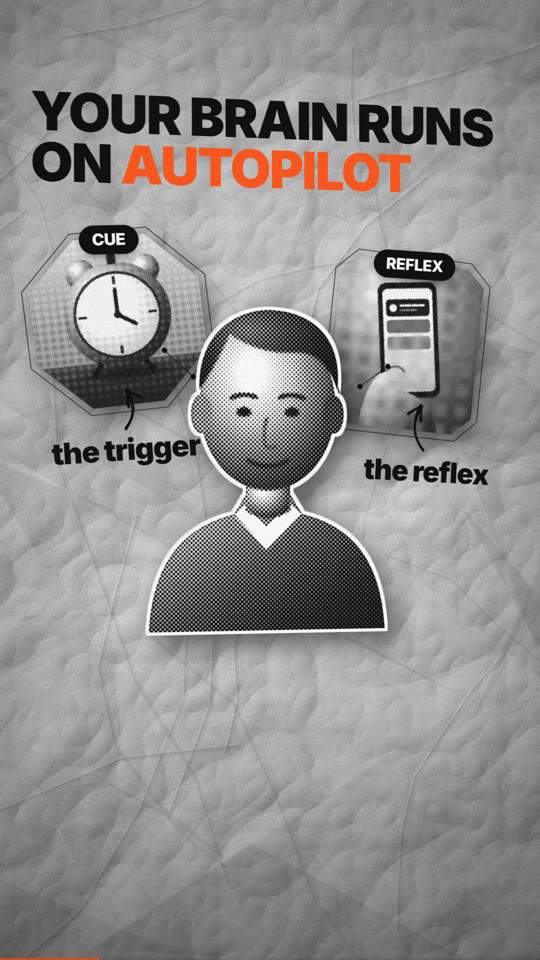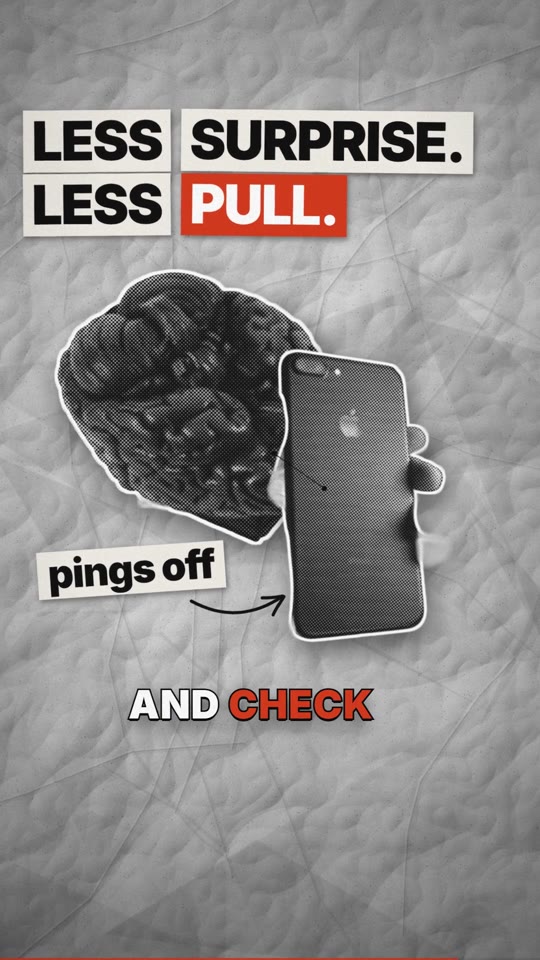
You make one video from one conversation. It must reach the quality of the top Shorts dissected in reference breakdowns:
- something new on screen every ~1 s
- real assets with depth (texture, contact shadows, glow)
- type with a 3× hero-word contrast
- object-as-portal transitions
- a swish that lands before every move, risers that end on reveals, impacts on flash cuts
- a voice that sits on top of an audible music bed
A slideshow with a generic voice is a failure even when QA passes.
Router: load the guide when you reach the task
Read only what the current step needs:
- The user gave only a word, or wants topic ideas, or you are writing the script → topic to video
- Choosing a style, palette or look → style recipes,
config/styles.yaml - An idea needs explaining, or choosing colours by mood → diagram design
- Writing any scene → scene catalogue, including Motion rules and Camera
- Anything about music, SFX or levels, or "I can't hear the music on my phone" → sound design
- Choosing or directing a voice → voice direction
- Captions and type → captions & typography
- A website or app on screen → website-tour capture
- A reference video to match → reference breakdowns, reference-video analysis, trending analysis
- Platform sizes and limits → platform specs
- Which open-source tool to reach for → field guide
Non-negotiable workflow
0 doctor ─▶ 1 INTERVIEW (all questions, once) ─▶ confirm ─▶ 2 research + trends + references (parallel)
  ─▶ 3 assets + screen capture + voice (parallel) ─▶ 4 storyboard (you write every word) ─▶ gate
  ─▶ 5 stills (look) ─▶ 6 render ─▶ 7 QA + REVIEW loop (fix, re-render, repeat) ─▶ 8 package ─▶ 9 final review ─▶ 10 clean (ask)
Rules:
One interview, at the start. Every question that needs the user is asked in step 1, including voice and tone, colours, the screen steps, API keys (with how to get each one) and the optional extras to install. After
fishvideo interview <dir> --confirm, you do not ask questions. Decide from the answers and the style recipe. Contact the user again only in these cases:- (a) an optional stop they chose in
checkpoints - (b) a desktop recording they must perform; they agreed to it in the interview, and you tell them exactly when to start
- (c) the final review
- (d) permission to clean up
If the user later says something different, follow the user.
- (a) an optional stop they chose in
Never write a script before the interview is confirmed.
fishvideo script,alland fullrenderrefuse untilfishvideo gatepasses.Never ship template text. The scaffold is a skeleton of TODOs. You write every on-screen word and every narration line fresh for this video, so the gate blocks TODOs, v1 stock phrases ("X, explained", "in 60 seconds", "Thanks for watching") and any line copied from
examples/. Examples show structure, never content.Explainers get a diagram. Any
goal: explainvideo needs at least onediagram,whiteboard,neonlineorsplit-reveal mechanism scene. A list of bullets is not an explanation.
Step 0: doctor
Setup (first time only) is in README.md: npm install, a venv, and pip install -r requirements.txt. Then run:
.venv/Scripts/python scripts/fishvideo.py doctor --keys # Windows (macOS/Linux: .venv/bin/python)Note which keys and extras are missing. You ask about exactly those in interview round 8.
Setup for the best result (do this, don't skip it):
- Install the extras yourself. If
doctorshows a missing extra, install it into the skill's venv without making the user do it:pip install "rembg[cpu]"(cut-outs),pip install kokoro soundfile(natural local voices) andpip install faster-whisper(aligns the user's own voiceover). Also runfishvideo assets sfx-packonce if the SFX library is missing. Tell the user in one line what you are installing and why. Only skip an extra the user declines in round 8.- Ask for the API keys. They are optional: everything works without them through the free fallbacks. They do give the best result: ElevenLabs gives the most natural voices, Pexels/Pixabay give the most stock photos and video, Freesound gives the most SFX, and the YouTube Data API gives the trending charts. In round 8, ask for the ones that matter for this video, say how to get each one (free sign-up links are in
doctor --keys), and accept "no" or "later" without pushing. Do this in the interview only, never once creation has started.
Step 1: the interview (strict)
fishvideo new projects/<slug> --prompt "<the user's request, verbatim>"
fishvideo interview projects/<slug>            # JSON: the open questions, grouped in 8 rounds
The question bank is config/interview.yaml. It has 8 rounds and about 30 questions:
| Round | Covers |
|---|---|
| 1 | purpose |
| 2 | shape and style |
| 3 | colours, type, texture |
| 4 | voice, delivery, music, SFX |
| 5 | real assets and screen recording |
| 6 | content, facts, CTA, language |
| 7 | captions, thumbnail, approvals |
| 8 | API keys and extras |
Only a word or an area? Before round 1, generate 5 trending angles: yt suggest, yt search --recent-days 30 and trends (haiku subagents, in parallel), following topic to video. Offer them as the topic question. The chosen angle drives everything after it.
How to ask:
- Ask one round per
AskUserQuestioncall (up to 4 questions), using the options exactly as listed. Recommended options come first. "Other" is always available. - Free-text questions (
free_text: true) go in a normal message for that round, together with the round's multiple-choice call. - Skip a question only when the prompt already answers it unambiguously (
from_promptshows what was detected), and record it anyway. - Record each answer:
fishvideo interview <dir> --set style=paper-collage --set platforms='["shorts"]'. Answers map intobrief.yaml: the palette goes tobrand.colors, the mood to the score and tempo, the voice and delivery to the voice config and post chain, and the style to texture, pacing and motif. - Voice: after rounds 4 and 6 (once the language and delivery are known), run
fishvideo voices <dir> --audition. Give the user the file paths inbuild/auditions/so they can play them, and let them pick. This is still part of the interview. - Keys: offer only the missing keys that matter for their answers. Explain how to get each one (the text in the bank) and what happens without it. If they paste keys, record them with
--set keys_paste=.... Keys go to the skill's gitignored.envand are never echoed, logged or committed. If they choose extras, install them into the venv now (pip install "rembg[cpu]",kokoro soundfile,faster-whisper). - Finally, read
fishvideo interview <dir> --summaryback to the user. Ask for a plain "yes, go", then run--confirm.
Step 2: research, trends and references (run in parallel)
Spawn these as parallel subagents. Model routing: haiku for fetch and lookup sweeps, sonnet for analysis and routine code, and you (opus) for the script, storyboard, design judgement and final review. Brief each agent with the project path and the exact output file it must produce. Subagents may not be able to write report files; then they return the text and you save it.
| Task | Command | Agent |
|---|---|---|
| Facts and sources | web search, then fishvideo research <dir> --url ... → research/facts.md |
haiku |
| Trends | fishvideo trends <dir> --topic "<topic>" --region <IN/US> → research/trends.md (title formulas, tags, hooks, ideal length from what is ranking now) |
haiku |
| YouTube look-ups | fishvideo yt search "<q>" -n 20 [--recent-days 30], yt info, yt subs, yt suggest |
haiku |
| Reference dissection (each link the user gave, plus 1–2 top trending examples in the chosen style) | fishvideo yt download <url> --purpose reference --project <dir>, then fishvideo dissect <dir>/reference/<file>.mp4 --out <dir>/reference/dissect --fps 4 [--vtt subs.vtt]. Read every sheet, the spectrogram and timeline.md, then write reference/analysis.md with the nine sections of reference-video analysis |
sonnet (vision) |
From the dissections, take numbers: change rate, swish timing and level, voice-over-bed dB, duck depth, loudness, caption style. Write them into brief.yaml → match: so the storyboard and mix can follow them. Copy craft, never content.
Step 3: assets, screen and voice (run in parallel)
Real assets (when assets.policy is mixed):
- Search:
fishvideo assets search <dir> "<noun>" --kind photo|video|music|sfx [--providers wikimedia,pexels]. Open the previews inassets/_candidates/and look at them. - Download what you pick:
fishvideo assets get <dir> <ids>. Every file is logged toassets/credits.jsonwith its licence. - Make cut-outs:
fishvideo assets cutout in.jpg out.png(rembg withisnet-general-use; never the non-commercial default model). - Prepare b-roll:
fishvideo assets clip <dir> <file> <clip_id> --start S --dur Sgives frames for thefootagescene. - Get a CC-BY YouTube section:
fishvideo yt clip <url> <start> <end> <dest> --project <dir>. It refuses non-CC videos. - Licences allowed: CC0, PD, Pexels/Pixabay licences, CC-BY and CC-BY-SA (credited). Never NC or ND. Never a non-CC YouTube video, a reference video's footage, a logo you redraw, or a real person's likeness in a misleading way.
Screen:
website: list the shots undercaptures:and runfishvideo capture <dir>. It films read-only in virtual time.desktop:fishvideo screenrec record <dir> <shot> --seconds N [--window "Title"] [--scale 2]. Before it starts, tell the user exactly which steps to perform. F8 drops a mark and F9 stops.files:fishvideo screenrec import <dir> <shot> recording.mp4.
All three produce the same capture folder. The tour scene (frame: inset) adds the glow cursor, click ripples and click SFX, a 1.6–2× zoom to the cursor, a spotlight and STEP cards. Record at scale 2 so zooms stay sharp.
Music:
- A library track:
assets search <dir> "<brief.music.search>" --kind music, thenassets get, and put the file inassets/music/. - Or leave the synthesised score. Set
music.source: synthto force it.
SFX: run fishvideo assets sfx-pack once (Kenney CC0). Add more with assets search --kind sfx (Freesound CC0) into assets/sfx/<cue-type>/.
Voice: write the narration (step 4), then run fishvideo voice <dir>. Re-run the storyboard so scenes re-time to the real clips. If the user recorded their own narration, run fishvideo voiceover <dir> recording.wav instead: it aligns the recording to the script with faster-whisper and cuts it per line.
Emotion: give each scene a mood: (curious, tense, urgent, excited, warm, serious, reflective, triumphant, neutral). It sets speed and pitch per line, and style on ElevenLabs. Punctuation shapes the delivery on every engine: ... pauses, ? and ! lift, short sentences punch. Vary mood across beats: one flat tone for 40 seconds is the "generic voice" complaint. Silent stretches inside a line are cut automatically (pacing.max_word_gap).
Music timing: for a library track, run fishvideo beats <track>. Set the storyboard bpm to its tempo and music.offset so a beat or the drop lands on your biggest reveal.
Screen recordings: run fishvideo screenrec tighten <dir> <shot> to speed through idle stretches. Never make the viewer wait for a loading spinner.
Step 4: storyboard (you write it)
Run fishvideo script <dir>. It scaffolds storyboard.yaml from the style recipe (config/styles.yaml, style recipes) as a beat skeleton full of TODOs. Its timings are placeholders. Then write it properly, in this order:
- Replace every TODO: copy, params and narration. The table at the top of the scene catalogue lists the required params.
- Write
brief.publishand check the fields the interview cannot fill:title,facts({text, value, source}),sources,cta. - Run
fishvideo voice <dir>, thenfishvideo storyboard <dir>. Only now are the scene lengths real. Anything timed in beats (at) is set against the spoken words after this step. - Run
fishvideo gate <dir>.
Variety. Never use the same scene type twice in a row in a Short, and never three stats or charts in a row. A real photo must never appear unprocessed. Use assets cutout and a treatment, because a dull rectangle kills the frame.
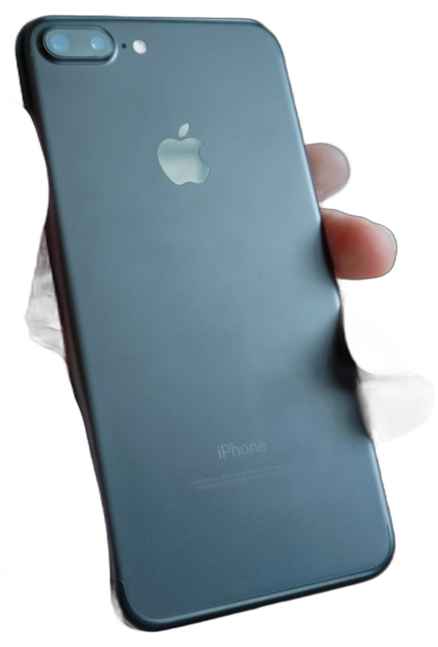
One character. Choose one recurring object or figure before writing any beat: a phone, a box, a dot, a letter. Everything in the video happens to it, and it appears in every scene (anchor / carry, and match transitions). This is the clearest difference between trending videos and generated slideshows: see trending analysis.
Diagrams evolve. Keep one persistent element and let it re-label, grow or travel (neonline with follow, diagram with morph, camera push-throughs). Don't assemble unrelated static nodes.
Beats. Split the idea into 4–8 meaning beats: hook, claim, human moment, concept, escalation, turn, payoff, end. Use one scene per beat, and repeat beats for screen steps.
Style bible lock. Every scene uses:
- the same palette, one accent, one type family
- the style's motif
- rising intensity until the payoff
Hook. Frame 0 is already full: a subject, a title slam or a striking cut-out. Nothing appears before it (no logo, no fade-in). Within the first 1–2 s it delivers the hook kind the user chose.
Change rate. Something new every pacing.change_every seconds (0.75–1.2 s for Shorts): an element entrance, a camera move, a reveal or a word pop. Never hold a static frame for more than 2 s on a Short.
Copy:
- Narration runs about 3 words/s (
punchy), 2.4 (calm) or 2.2 (cinematic). - One idea per sentence. Concrete nouns.
- No "revolutionary", "seamless" or "leverage".
- Respell numbers and acronyms with
{shown|spoken}.
On-screen text is a subset of the narration, at most 6 words per line, with one *accent* word.
Transitions. Prefer object-as-portal transitions (zoom, flip, split, defocus) and flash for impact cuts. Avoid plain fade.
Sound comes from cues. Scenes emit cues automatically. Add explicit cues: for story moments:
- a
riserthat ends on the reveal - an
impacton the title slam - a
boomon the payoff - silence after the final hit when the style calls for it
Script from the topic. Follow topic to video: one-sentence summary, beats, hook, open loop, payoff, then read it aloud and cut 10%.
Diagrams and theme. Choose the diagram from the sentence (flow, anatomy, cycle, split, chart, zoom-in layers, lanes, architecture), reveal its parts in narration order, and put the accent on one element per beat. When the user picked "style default", choose the style, palette, music and delivery from the script's mood. All of this is in diagram design, and the mood table is config/styles.yaml → mood_map.
Facts. Every number on screen or in the narration must be in brief.facts with a source; factcheck enforces this.
Publishing copy:
- 5 title options in
brief.publish.titles, using the formulas fromresearch/trends.md. Keep each ≤ 60 chars with the hook word first. publish.description, the first 2 lines of which are the hook.publish.tags(≤ 15) andpublish.hashtags(3–5).- The
thumbnail:block.
The scene catalogue, with params and examples for every scene, is scene catalogue. The motion and sound rules are in sound design, pacing & music and captions & typography.
Then run fishvideo gate <dir>. It must say ready.
Step 5: stills (look at them)
Run fishvideo stills <dir> --scenes for every platform and open every still. Check:
- depth: texture, shadows, glow
- hierarchy: 3× contrast between the hero word and small text
- the safe area: no text under the Shorts/Reels UI
- that the caption plate is legible on busy frames
- that nothing looks like a default template
Fix the problems and look again. If the user chose the stills checkpoint, show them now.
Step 6: render
Preview the hardest 10 s first: fishvideo render <dir> --platform shorts --scale 0.5 --fast --from 8 --to 18. Then run the full render: fishvideo render <dir>.
The audio is three stems:
- voice at −16 LUFS
- music 10 dB under the voice, mid-carved and ducked about 6 dB while speaking, present from frame 0 and faded at the end
- sfx, made of real samples plus synth, never ducked, placed by cue: swishes 0.1 s early, risers ending on the cue, at most one SFX per 80 ms
The master is −12 LUFS with −1 dBTP on Shorts, Reels and TikTok, and −14 LUFS with −1.5 dBTP on the other platforms. The knobs are mix: in brief.yaml.
Step 7: QA and the review loop
Run fishvideo qa <dir>. Fix every FAIL, and treat every WARN as a fix unless you can justify it to the user. Then run the review loop at least twice:
fishvideo review <dir> --platform <p>writesREVIEW.md(measured numbers and findings tagged P0/P1/P2) and three sheets inbuild/<p>/review/: beats at phone width, a strip around each cut, and the hook.- Open every sheet. Under "What I looked at", describe each beat frame in one sentence and name every object. An object that needs explaining is a P0. Name the weakest shot.
- Write notes as
t=4.2s · where · problem → exact change. Fix P0s and worthwhile P1s in this order: text, timing, detail. - Re-render only what changed, and repeat. Read
REVIEW.mdbefore changing anything.
Never score the video out of 10; a score finds nothing to fix. Where the numbers and your eyes disagree, trust the numbers. You cannot hear, so audio is measured with commands.
Also:
- Open each
build/<platform>/contact.png. - Run
fishvideo dissect build/<platform>/final.mp4 --out build/<platform>/self-check. Compare its balance and event density with the reference numbers:- voice over bed of 6–14 dB
- music audible in gaps (above −38 dBFS)
- a swish within 0.15 s before most cuts
- SFX density matching the chosen level
- Check
speaker translationin the QA report.build/<p>/phone-monitor.wavis what a phone plays. If the music or SFX vanish there, fix the mix (see sound design); never ship a mix that only works on headphones. - Watch the first 3 s and the end. Would this hold attention next to the references? If not, go back to step 4.
Step 8: package
Run fishvideo package <dir>. It produces out/<date>_<slug>/ containing:
README.md(the index and an upload checklist)video/captions/thumbnails/(1280×720 plus vertical covers)metadata/(titles, per-platform post text with chapters, sources and credits, tags, transcript,credits.txtwith every licence and the AI disclosure,metadata.json)qa/
Step 9: final review
Send the user:
- the path to
out/<date>_<slug>/ - the main video file
- the thumbnail
- the 5 titles
- the measured loudness and mix balance
- anything still open, such as an estimated voice or a WARN
Ask for approval or changes. On changes, edit and re-render only what changed.
Step 10: clean up (only with permission)
After the user approves the final video:
- Run
fishvideo clean <dir>(a dry run). It lists what would be deleted (build/, reference downloads, unpicked candidates, raw pages) and what is kept (brief, storyboard, the assets used with their credits, research notes, andout/). - Ask the user whether to delete it, and give the size.
- Only on a yes, run
fishvideo clean <dir> --yes(add--keep-voiceif they may re-render).
Never delete without that yes.
Hard rules
- Never invent facts, numbers, quotes, customers or logos. Unsourced numbers fail the build.
- References are for analysis only. Never cut a reference's footage, music or voice into the video. Downloads stay in
reference/and are cleaned afterwards. - Every third-party asset is in
assets/credits.jsonwith a licence that allows commercial reuse. The package credits it. - Film websites read-only: no logins, no form submits, no purchases, no private data. Desktop recordings never log typed text, only modifier combos.
- Keys live in
.envand environment variables only. Never print or commit them. - Never max out the user's machine. Renders run below normal priority under a CPU cap (
FISH_CPU_LIMIT, default 60%), so they take longer but the PC stays usable. Don't raise it unless the user asks. Run heavy jobs one at a time, as tracked background tasks, so nothing is left running. - Scene code is deterministic: no
Math.random,Date, CSS animations or rAF. - Do not upload or publish anything. The deliverable is the local folder.
--no-gateexists for the test suite. Never use it for a user's video.
Failure modes (v1 lessons)
| Symptom | Cause | Fix |
|---|---|---|
| Every video says "X, explained… in 60 seconds" | The v1 scaffold wrote copy | Scaffold is skeleton-only, and the gate blocks stock or example lines |
| Questions trickle in mid-render, or none are asked | There was no interview contract | One 8-round interview, confirmed before scripting |
| BGM inaudible; risers and clicks vanish | One bus, −5 dB bed, ratio-6 duck that also ducked the SFX | Three stems: music −10 dB re voice with a 6 dB duck; SFX unducked |
| Swishes feel late and mushy | 0.55 s whooshes placed on the cut | 150 ms swish, starting 0.1 s before the move |
| Looks flat, like a template | Vector boxes only, no assets, no texture | Real cut-outs (assets cutout), texture: paper/grain, contact shadows, glow; collage/split/neon scenes |
| A generic narrator | Fixed default voice | A delivery preset plus auditions in the interview, with ElevenLabs, Kokoro and edge Multilingual voices |
| Soft zooms in screen tutorials | Recorded at 1× | screenrec --scale 2, capture at DPR 2 |
| Captions unreadable over busy frames | No plate | captions.style: pop adds an automatic 40% plate |
| Plus every v1 renderer issue | See website-tour capture (virtual time, fonts, decode, faststart, loudnorm) |
Files
scripts/:fishvideo.py(CLI)interview.py(interview, gate, approvals, auditions)youtube.py,trends.py,assets.py,screenrec.py,dissect.pysfx.py(sample SFX)music.mjs(score plus synth SFX stem)render.py(stem mix)qa.py(including mix balance)package.py,clean.pyresearch.py,reference.py,storyboard.py,voice.py(ElevenLabs, edge-tts, Kokoro),captions.py,fvcore.py,fvnet.py- the stage:
stage/(scenes, transitions, textures, captions)
config/:interview.yaml,styles.yaml(style bibles, palettes, music moods),voices.yaml(voice shortlist, delivery presets),defaults.yaml.references/:sfx/library/: Kenney CC0 interface, impact and UI packs plusindex.json.examples/:why-you-cant-put-it-down/(the full narrated target: watchsample-short-720p.mp4and read itsstoryboard.yaml),showcase/(style demo: collage, split, neon, coin flip, glow tunnel) andimutechz-explainer/(a v1 production storyboard; structure only, never reuse its lines).tests/: unit tests (test_units.py,test_tools.py), node tests, and e2e smoke renders.
Reference files
The 15 documents SKILL.md points at. They are also downloadable as raw markdown below.
references/topic-to-video.md3.9 KB
From a single topic to a finished script
The user may give only a word ("habits", "black holes", "our app"), or ask for topic ideas. This is the method for getting from there to a script. Run it inside the interview, so the user picks the angle before creation starts.
1. Topic suggestions (when the user has no topic or only a broad area)
Run these in parallel, as haiku subagents:
fishvideo yt suggest "<area>"                       # what people type: autocomplete
fishvideo yt search "<area>" --n 25 --recent-days 30
fishvideo trends <dir> --topic "<area>" --region <IN|US> --days 30   # research/trends.md: ranked by views/day
From these, build 5 topic options. Each option has:
- an angle: a specific question, tension or claim, never just the subject
- evidence it is trending: the top recent video's views per day, and how many autocomplete hits it has
- the format it suits: one of the style recipes
- a working hook line: at most 10 words
Offer them as one AskUserQuestion question (4 options plus Other). This is interview question topic.
Angle formulas that rank (pick the one that fits the evidence):
| Formula | Example shape |
|---|---|
| Hidden mechanism | "Why X actually happens" / "What really happens when X" |
| Expectation vs reality | "X: what you think vs what's true" |
| Comparison | "A vs B vs C" (works well as a stick-fable or neon chart) |
| Number list | "3 X that Y" (only when the items are real and sourced) |
| Mistake | "Stop doing X" / "You're doing X wrong" |
| Transformation | "From X to Y in N steps" |
| Origin | "The X nobody tells you about" |
2. Research the chosen angle
- Facts come from primary sources and are copied into
brief.factswith their source. - Top 3 videos on the angle: run
yt subson each and read their hooks and their structure. Note what they miss; that gap becomes your edge. - Nouns to visualise: list every concrete object the script will name. Each one becomes an asset search or a drawn element.
3. Write the script (you, the main agent)
- One sentence. "This video shows ___ so that the viewer ___." If you can't write it, go back to step 2.
- Beats. Use 4–8 meaning beats from the style recipe: hook, claim, human moment, concept, escalation, turn, payoff, end. Give each beat one idea and one hero visual (an object, a diagram or a screen moment).
- Hook (0–2 s). Use the chosen hook kind.
- Name the tension, not the subject.
- It is the first line of the narration and the first frame.
- Never start with a greeting, the channel name or "In this video".
- Narration.
- Speech rate by delivery: about 3 words/s (punchy), 2.4 (calm), 2.2 (cinematic).
- A 30 s Short holds 65–85 words.
- Use short sentences and second person ("you").
- Use concrete verbs. Put one surprising fact or number (sourced) by 40% of the runtime.
- Open loop. Promise something in the hook that is paid off in the payoff beat ("…and the third one is why most people fail").
- Payoff and end. Resolve the loop. End with a CTA in one line, or a loop line that flows back into the hook.
- On-screen words. For each beat, pick 1–4 words from its narration as the hero text, and choose the one accent word.
- Read it aloud at the target pace and time it. Cut 10%.
Write the script into storyboard.yaml (say: per scene), and its one-sentence summary into brief.summary.
4. Titles, description and tags (from the same research)
- 5 titles, using the formulas that rank in
research/trends.md. Each is at most 60 characters, with the hook word first. Put numbers in digits. Don't write clickbait the video doesn't deliver. - Description. The first 2 lines restate the hook and the promise, followed by chapters (for long videos), sources and credits.
- Tags. Up to 15: the top recurring tags of the ranking videos, plus your own specific nouns.
- Hashtags. 3–5: one broad, two niche, and the format (#shorts).
references/reference-breakdowns.md10.0 KB
Reference breakdowns: what top Shorts actually do
These are forensic breakdowns of 7 reference videos (6 Shorts and one 9-minute tutorial). Each was made with scripts/dissect.py, which extracts frame sheets at 4 fps, a spectrogram, classified sound events and voice/music balance numbers. They set the quality bar. We copy craft: timing, layering, sound placement and mix. We never copy content, footage, characters or music.
To dissect a new reference:
fishvideo yt download <project> <url> --purpose reference
python scripts/dissect.py <project>/reference/src.mp4 --out <project>/reference/dissect --fps 4 [--vtt subs.vtt]
Then read every sheets/*.jpg, spectrogram.png and timeline.md, and write reference/analysis.md using the nine sections in reference-video analysis.
The numbers that repeat across all of them
| Element | What the good ones do | What a generic pipeline does wrong |
|---|---|---|
| Visual change rate | Something new every 0.75–1.2 s. Hard cuts are rare (1–7 per 15 s), and the camera or an element is moving about 80% of the time. | One static layout per 4–8 s. |
| Hook | Frame 0 already has the subject or a title slam. There is no logo and no fade-in. | A title card, then a fade-in. |
| Depth | Real cut-outs with contact shadows (offset 10–20 px, blur about 25 px, key light top-left), paper or grain texture, a vignette of 35–45%, and glow on dark backgrounds. | Flat vector boxes on a flat colour. |
| Type | One family (heavy grotesk, Inter 800/900), about 3× size contrast between the hero word and small words, one accent colour, and a blur-to-sharp or scale-0.8→1 word reveal staggered about 6 frames. | Uniform sizes and many colours. |
| Transitions | Object-as-portal: zoom-through with motion blur, a 2-frame white flash, then a pull-back. Also split reveals, rack-focus defocus and 3D flips. | Crossfades. |
| Swish SFX | 140–250 ms, centroid 5–6 kHz, starting 50–120 ms before the move, at −18 to −28 dBFS. | Long 0.6 s whooshes, late. |
| Pops and ticks | 40–140 ms, on element arrival, −20 to −30 dB (subliminal, felt rather than heard). | Loud pops on everything. |
| Risers | 0.75–1.2 s, ending exactly on the reveal, often cut dead into silence or an impact. | A riser that starts at the reveal. |
| Impacts | 60–120 Hz thump or boom with a 240–500 ms tail, on flash cuts and title slams, −12 to −15 dBFS. | None, or a thin click. |
| Voice | Measured at −15 to −16 LUFS (short-term while speaking), compressed, presence-lifted, short room. Pace runs 2.3–2.9 words/s; motivational and story pieces run faster. | −20 LUFS and dry. |
| Music bed | Present from frame 0, 8–12 dB under the voice, sidechain duck of about 6 dB (attack 5–20 ms, release 250 ms), 250 Hz–3 kHz carved out of the music, and a fade over the last 1–2.5 s. | Either inaudible (−5 dB bed then ratio 6 duck) or masking the voice. |
| SFX ducking | SFX are never ducked by the voice; they are placed in the gaps between words. | SFX on the music bus, so they get ducked. |
| Master | Integrated loudness of the references ranges from −10 to −29 LUFS. Several are badly mastered (too quiet or clipped). | Copying their loudness. |
| End | A loop back to frame 0, or a 0.3–1.3 s hold with silence. | A long logo outro. |
The seven, one by one
R1: Paper-craft documentary collage (14 s, male documentary voice)
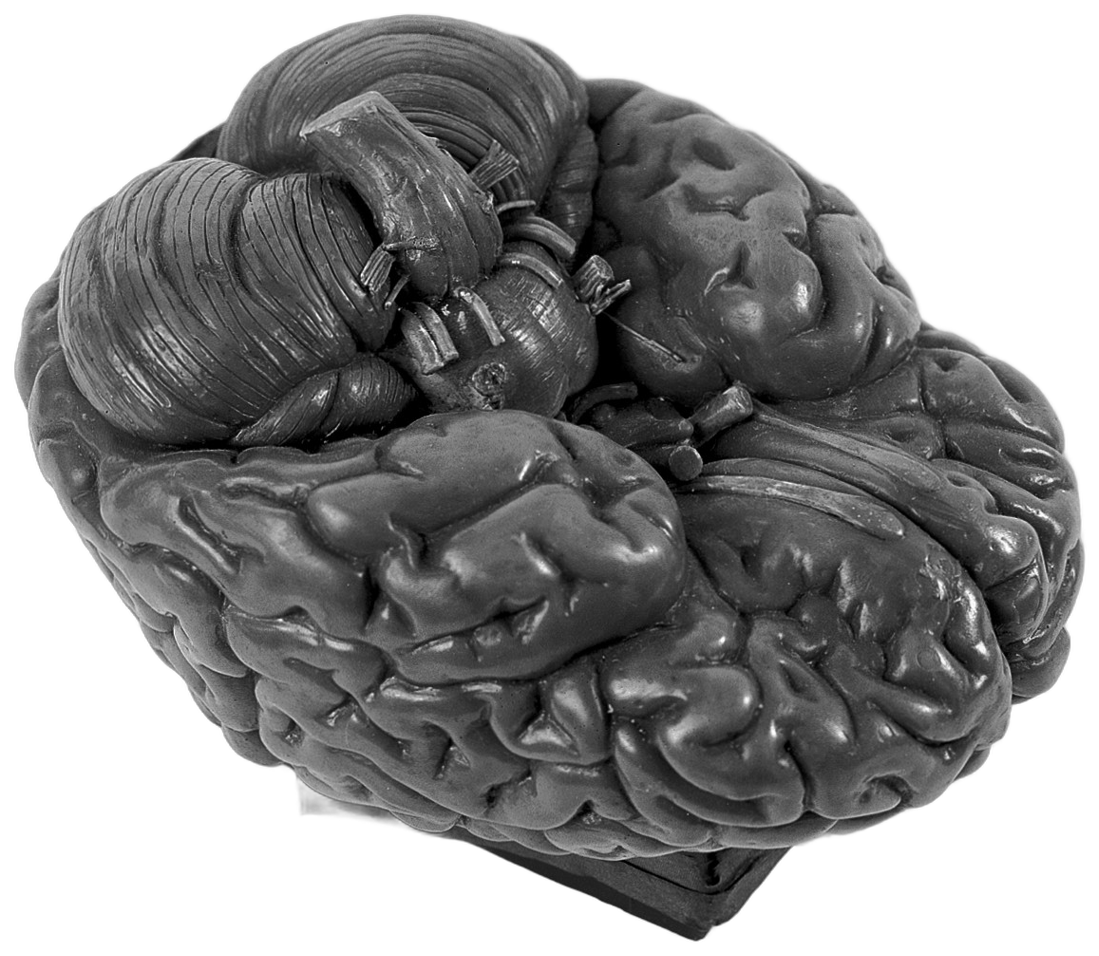
- Look. Crumpled paper from #C8C8C8 at the centre to #707070 at the edges. B&W halftone photo cut-outs sit in chamfered (octagonal) cards with a thin outline offset. Labels are bold grotesk with hand-drawn curved arrows. Every object has a contact shadow.
- Motion. One continuous virtual camera. A card fades in at scale 0.9→1 over 12 frames. At 2.25 s the card splits down the middle (expo-out) to reveal a brain with hairline connectors. Small words rise while the hero word ("mind", about 9% of frame height, ExtraBold) resolves from blur. A rack-focus into an eyeball follows. A hard cut goes to near-black, where a spotlight cone shows text only inside the light. A disc scales down to a laser line.
- Sound. Airy swishes of 0.14–0.16 s at −27 dB on the split, the cut and the cone sweeps. A tick of 100 ms. A sub swell under the split. Two soft thuds as the line closes. A dark drone bed with no drums. Voice runs at 2.3 words/s.
- Lesson. Subliminal SFX, a monochrome palette and real assets with light and shadow make it feel expensive.
R2: Clean studio infographic (10 s, punchy US male TTS)
- Look. A radial grey studio gradient. A B&W cut-out subject with neon-lime (#B6FF7A) accent spheres orbiting. Then a 3D coin flip carousel landing five logos one by one, each labelled on an arc.
- Motion. Title words slide in with a blur trail. Subtitle words scale 0.8→1 with a 4 px blur over 5 frames, staggered 6 frames. The cut-out rises from the bottom. A slow push-in from 1.0 to 1.08 with a bob. Each logo lands within about 3 frames of the word that names it.
- Sound. A title slam at 0.02 s (−10 dB). A rising whoosh plus a thud for the figure. A swish (150 ms) and a click per coin flip. A bass-heavy groove that is too loud: voice sits 3 dB below the bass. Do not copy that balance.
R3: 3D camera promo (29 s, Spanish-accented human male voice, 2.9 words/s)
- Look. Light vignette from #F2F2F2 to #808080. A clock rolls into a coin through a 3D Y-flip match cut. A chalkboard with struck-through words and a yellow "NOW" sticky note. A squircle card with corner brackets. Icon tiles zoom through (300% with motion blur) into a road scene.
- Sound. Sparse swishes (140–200 ms, −27 to −33 dB) on moves. The biggest impact (−15 dBFS) lands exactly on a white-flash cut. The music carries most transitions and stops dead at the end.
- Lesson. Each scene hands off through an object; there is no "cut, then new layout".
R4: Neon "expectation vs reality" chart (8 s, no voice)
- Look. #111 with a 24 px grid, dust and a vignette. A glowing white line draws straight, then zigzags through glow pictograms that pop at each vertex (scale 0→1.1→1 over 6 frames). A yellow lightning arc trails the draw head. Neon amber labels have a 20 px glow.
- Sound. A drone that builds sub energy over the clip. A swish on each line start. A glassy zap (40 ms, >5 kHz) on each vertex. A thump on the slide-up. A 0.75 s riser into an impact, then hard silence.
- Lesson. Sync every SFX to a vertex or arrival, and end with silence after the impact.
R5: Stick-figure fable (14 s, music only)
- Look. Three stacked lanes, white round-cap stick figures, tiny red accents. Animation is stepped at about 12 fps. A one-line punchline ("Hell nah.") appears near the end. A fade to black that reads as a loop.
- Sound. A dense trap/phonk loop. One bass impact on the story beat. No voice and no SFX.
- Lesson. Some formats want no SFX. Silence is part of the style, so
sfx: minimalexists for this.
R6: Geometric glow metaphor (12 s, calm cinematic male TTS, about 150 wpm)
- Look. Black, with a glowing #F5F5F5 sphere as the protagonist. It drops into a box ("trapped"), then an expo-out zoom-through into a rotating tunnel of about 25 nested squares, then a gradient cone with an infinity glyph, a starfield, a tree growing with trails, and a ring bloom of 10 circles. Captions are word by word at the top. They lack a backing plate on busy frames, which is a flaw to fix.
- Sound. A sub riser cut dead into the zoom-through. An air whoosh with a sub swell on the zoom. A pop on each new shape. A sub bloom as the cone sinks. A boom and a pop as the tree vanishes. Ring spawn is ticks at about 16 per second with rising pitch. No drums: drones and swells sit in the word gaps, and the bass ducks about 7 dB under the voice.
- Lesson. Morphs instead of cuts, and sound that swells into the gaps between words.
R7: Tutorial, "AI motion graphics with a master prompt" (9 min, screen recording)
- Method taught. A locked style bible (palette hex, one type family, one recurring motif, format) kept separate from per-beat content. The script is split into 4–8 meaning beats (hook, claim, human moment, abstract concept, escalation, turning point, payoff). Each beat gets a block: stage, hero subject, motif, camera/transition, timed lines on a 2 s grid, sound design, and a final-frame spec that bridges into the next beat. Intensity must keep rising to the finale. We implement this as
style+beatsin the storyboard and thelintchecks. - Production. The recording sits in a white-bordered inset on a solid brand background. It uses 1.5–2× punch-ins (soft, because it was recorded at 1×, so record at 2× scale), a glow cursor, "STEP N" cards and pops on zooms and clicks. Voice sits about 3 dB over the bass, with a 6 dB duck. About 40 whooshes in the first 2 minutes. Screen segments run 20–60 s with only zoom changes.
- Weaknesses to beat. Blurry zooms, no click ripples, no spotlight and no captions in screen segments.
Mapping to Fish Video features
| Reference trait | Feature |
|---|---|
| Paper, halftone cut-outs, arrows, split reveal, cone | style: paper-collage; scenes collage, split, cone; texture: paper; assets cutout |
| Studio kinetic plus coin carousel | style: studio-kinetic; scenes kinetic, coinflip, orbit |
| Object-as-portal transitions | transitions zoom, flash, flip, defocus |
| Neon chart | style: neon-diagram; scene neonline; cues zap, riser → impact |
| Geometric glow metaphor | style: glow-metaphor; scenes glowshapes, tunnel, ringbloom |
| Screen tutorial | style: screen-explainer; scene tour with frame: inset, spotlight, glow cursor, click ripple, STEP cards; fishvideo screenrec |
| Real b-roll | scene footage with assets search/get/clip and yt clip (CC-BY only) |
| Word-pop captions | captions.style: pop |
| Mix balance | config/defaults.yaml mix: (stems, see sound design) |
references/style-recipes.md3.6 KB
Style recipes
A style is a locked style bible plus a beat pattern. It defines the look, type, motif, sound and pacing. The machine-readable version is in config/styles.yaml. The interview offers these styles; the chosen one sets defaults the user can override (palette, texture, captions, SFX density, music mood). The scaffold builds the beat skeleton. You write all the words.
| Style | Looks like | Sounds like | Change every | Best for | From reference |
|---|---|---|---|---|---|
| paper-collage | Crumpled grey paper; B&W halftone photo cut-outs with contact shadows; chamfered cards; bold grotesk labels and hand-drawn arrows; split reveals; rack-focus; a spotlight cone on black | A dark drone with no drums; subliminal swishes (−27 dB, 150 ms); a sub swell under reveals; soft thuds at the end; documentary narrator | 1.1 s | facts, psychology, history, "how X really works" | R1 |
| studio-kinetic | Light studio gradient; words slam in with a blur trail; cut-out subject rises; glow orbit; 3D coin carousel; slow push-in and bob | Title impact at 0.0 s; swish and click per coin flip; a groove bed 10 dB under the voice (not the reference's muddy balance) | 0.9 s | people, companies, products | R2 |
| neon-diagram | #111 grid; glowing line draws; glow icons pop at vertices; electric arc; neon labels | A building drone; a zap on every vertex; a riser into an impact, then silence | 0.75 s | expectation vs reality, growth, processes, data | R4 |
| glow-metaphor | Black; one glowing sphere as the hero; morphs, a nested-square tunnel zoom-through, a starfield, a ring bloom | Sub risers cut dead into zooms; air whooshes; pops on shapes; swells in the word gaps; calm cinematic voice | 1.2 s | motivation, habits, mindset | R6 |
| screen-explainer | A real recording in an inset frame on a brand background; glow cursor; click ripple; 1.6–2× focus zoom; spotlight; STEP cards | A click SFX per click; a swish per zoom; lo-fi bed; clear narrator | 2.0 s | app and web tutorials, demos | R7 (minus its weaknesses) |
| whiteboard-explainer | Grid paper; marker-drawn diagrams built live; Caveat hand lettering | Marker scribbles; pops; calm pulse | 1.5 s | mechanisms, architecture | v1 ImuTechz |
| stick-fable | Black lanes; simple figures performing the same action and diverging; one punchline | Music only (phonk/trap loop); one impact on the story beat; no voice | 1.8 s | A vs B vs C comparisons, loops | R5 |
The bible lock (enforced while you write)
- One palette. Use the interview palette or the brand hex values. The accent appears in every scene, on exactly the word or shape that matters.
- One type family, with about a 3× size contrast between the hero word and small words.
- One motif, the style's
motif, which recurs in every beat. - Intensity rises until the payoff. Raise
energyscene by scene, then drop to 0 on the end card (or hard silence after the final impact). - Final-frame hand-off. The last frame of each beat sets up the next one: the object that becomes the portal, or the word that becomes the next title.
Screen-explainer rules
Never stay on the raw screen for more than 12 s. Zoom 1.6–2× on clicks and typing, at most 8 zooms a minute. Show the finished result by 3 s. Details and numbers are in trending analysis.
Mixing styles
A style can borrow a scene from another style for one beat. For example, a paper-collage explainer can use a neonline chart for its proof beat if it keeps the palette and type. Never mix more than two styles in one video.
references/storyboard-templates.md5.4 KB
Storyboard templates
A storyboard is a list of scenes. Each scene does one job. The templates below give working scene orders. Bar counts assume 120 BPM, where one bar is 2 s. They are starting counts: the real counts come from the narration (fishvideo storyboard).
Picking a structure
Ask, in this order:
- What should the viewer do or believe afterwards? If they should understand something, use an explainer. If they should try or buy it, use a promo or tour. If they should notice something new, use an announcement.
- Is there something real to show? A site or app means at least one
tourscene, because live proof beats claims. Without one, use thewhiteboard,diagram,statandterminalscenes. - How long? As a rule of thumb:
- 15 s: hook, one idea, CTA.
- 30 s: hook plus three beats.
- 60 s: hook plus five beats.
- 2–3 min: hook, three chapters of 3–5 scenes each, then the end.
- Which platforms? Build the longest cut first. Shorter cuts subtract scenes (
platforms: [youtube]on the scenes that only YouTube gets). Nothing is re-written per platform except, sometimes, the hook.
1. Explainer (60 s ≈ 30 bars)
| # | scene | type | bars | job |
|---|---|---|---|---|
| 1 | hook | kinetic | 2 | the outcome or the tension, ≤ 8 words |
| 2 | title | title | 2–3 | name + one-line promise + chips |
| 3 | idea | bullets / diagram | 3 | the 3 parts, at a glance (chapter: 01 · What it is, wipe) |
| 4–7 | how-1…how-4 | whiteboard | 3 each | one mechanism per board, with a takeaway line (chapter: 02 · How it works) |
| 8 | proof | stat / chart | 2–3 | one sourced number |
| 9 | get | terminal / tour | 3 | how to start |
| 10 | end | end | 2–3 | brand, tagline, links |
2. Product tour (45 s ≈ 22 bars)
| # | scene | type | bars | job |
|---|---|---|---|---|
| 1 | hook | kinetic or tour (bare, zoomed) | 2 | "Here's X doing Y" |
| 2 | title | title | 2 | name + promise |
| 3–6 | tour-1…tour-4 | tour | 3–4 each | one page / one feature each, with one callout per scene |
| 7 | cta | terminal / bullets | 2 | install, sign up, or the price (sourced) |
| 8 | end | end | 2 |
Capture plan: one shot per tour scene. Each shot runs about 1.5× the scene length, so the scene can start late and run at speed: 1.2–1.6.
3. Promo / launch (30 s ≈ 15 bars)
| # | scene | type | bars |
|---|---|---|---|
| 1 | hook | kinetic | 2 |
| 2 | feature | steps (3 cards) | 4 |
| 3 | proof | stat | 2 |
| 4 | see it | tour | 4 |
| 5 | end | end | 3 |
4. Listicle ("5 things…", 60 s)
hook (kinetic) → five scenes of 2–3 bars each, all of one type (bullets with a single item, stat, whiteboard) and each with chapter: "1 / 5" → recap (bullets) → end.
5. Story (90 s)
then (kinetic + image) → the problem (whiteboard) → the turn (quote / kinetic) → now (tour) → proof (chart) → next (bullets) → end.
6. Announcement (20–30 s)
kinetic "Introducing …" → title (with a version chip) → 2–3 bullets of what's new → terminal (upgrade command) → end.
The ImuTechz explainer, as a storyboard (2:40, 80 bars)
hook(3) title(4) | 01 process(5) ui(4) | 02 fishTitle(2) fishMmap(3) fishQuant(3) fishInt8(3) fishAvx(3) fishTokens(2) fishKv(3) fishPrefetch(3) models(3)
| 03 agents(6) | 04 look(2) tourHome(4) tourImu(3) tourRd(3) tourDocs(6) tourDir(5) tourTheme(3) | 05 install(4) end(3)- The LinkedIn 4:5 cut (1:12, 36 bars) keeps: hook, title, ui, fishMmap, fishAvx, fishKv, agents, tourHome, tourDocs, install and end.
- The full reproduction brief is in
examples/imutechz-explainer/.
storyboard.yaml anatomy
title: Acme in 60 seconds
bpm: 120
hud: {chapter: true, rail: true}      # chapter label top-right, progress rail
grain: true
background: dots                      # dots | plain | wash
custom_scenes: [scenes/custom.js]     # optional project scene code
scenes:
  - id: hook
    type: kinetic
    energy: 1                         # 0 calm … 3 full (music)
    params: {lines: ["Boil water", "~without a flame.~"]}
    say: "Boil water, without a flame."
  - id: how
    type: whiteboard
    chapter: "01 · How it works"
    transition: wipe                  # cut | fade (default) | wipe (chapter cuts)
    platforms: [youtube, linkedin]    # omit = every platform
    params: {tag: How it works, title: "Sun → mirror → pot", flow: [Sun, Mirror, Pot], take: "No fuel, *no smoke*."}
    say:
      - "Sunlight hits a curved mirror."
      - {text: "The mirror focuses it on the pot.", at: 6}    # at = beat, optional
  - id: end
    type: end
    params: {name: Acme, tagline: "Boil with the sun.", links: [acme.dev], cta: "Order at acme.dev"}
    say: "Acme. Boil with the sun."
captures:
  - {id: home, url: "https://acme.dev", auto: {seconds: 8}}
thumbnail: {kicker: "ACME", title: "Boil without fire", accent: fire, badge: "60-second explainer", shot: home}
facts_ok: []                          # numbers you have verified out-of-band (prefer brief.facts)
Scene-writing checklist
- One idea per scene, and the
saylines carry exactly that idea. - The on-screen words are a subset of the spoken words, or a label for the picture.
- Headline ≤ 8 words. Bullets ≤ 7 words. Kinetic lines ≤ 6 words.
- Every number has a source (
source:on stat/chart;brief.factsfor numbers in the narration). - Tour scenes have exactly one callout at a time.
- The last scene is
end.
references/scene-catalogue.md40 KB
Scene catalogue
Scene types at a glance
Pick by what the beat has to do. Everything else on this page is detail. A scene type needs its required params, and all others are optional. In tall mode (9:16) every type fills the frame down to the caption band.
| type | required params | best used for | looks weak when |
|---|---|---|---|
collage |
items: [{src, kind: cutout}], title |
a real object with one idea; hooks; paper styles | no real asset; more than 3 labels |
split |
front: {src, title}, back: {title}, at |
a reveal or turn ("but...") | the two sides say the same thing |
cone |
title |
a dark, quiet turn; one line | long titles; repeated use |
coinflip |
items: [{icon, label}], title |
2-4 options or ingredients | items need explaining |
orbit |
center, title |
one thing surrounded by many | no real centre |
neonline |
steps: [{label, icon}], title |
a loop or a sequence in 3-5 words | labels longer than one word |
glowshape |
title |
an abstract, cinematic idea | nothing to hold on to |
tunnel |
title |
"deeper", repetition, transitions | used as content |
ringbloom |
value |
a value with a many-parts feel | no number |
kinetic |
lines: ["..", ".."] |
hooks and payoffs; 2-6 words a line, *one accent* |
a full sentence on a line |
title |
title |
an opening card with a real brand | as a hook (too calm) |
stat |
value (sourced), label; prefix, suffix, of, visual: grid|ring|bar|none |
one striking figure | three in a row; a label over 12 words |
chart |
data: [{label, value}], title, source |
2-6 comparable values | one value (use stat) |
diagram |
nodes: [{label, sub}], title; morph: true |
a chain of 2-4 steps | over 4 nodes; long subs |
whiteboard |
items or flow |
hand-drawn explaining | little to draw |
bullets |
items: [".."], title |
2-4 short points | over 4 items; sentences |
steps |
items: [{t, d}], title |
how-to, in order | over 4 steps |
compare |
left and right: {label, items}, title |
before / after, us / them | over 3 rows a side |
quote |
text, by |
a real quotation | over 25 words; unattributed |
terminal |
lines: [{cmd} | {out}] |
developer content | non-developer audience |
image |
src; title, caption, credit; treat: none, frame: cover|card |
a real photo that proves the point | a dull photo; no title |
footage |
clip or frames |
real moving pictures | stock with nothing happening |
tour |
shot (a capture) |
software and websites | no clicks to follow |
stepcard |
n, title |
a step label inside a tour | outside a tour |
end |
cta, and name or tagline |
the close; loops back to the hook's hero | long taglines |
thumbnail |
title (3 words), accent; image |
the storyboard's thumbnail: block |
over 5 words |
Good hooks: collage (a real object), kinetic (a short claim with one accent), split (a reveal), stat (a surprising sourced figure), footage (real pictures). Weak hooks: title, bullets, steps, diagram, chart, end.
Every scene type lives in scripts/stage/scenes/*.js. Each one works at 16:9, 1:1, 4:5 and 9:16, because it lays out inside the platform safe area (c.safe) with flex boxes and fits its headlines with L.fit.
On-screen text supports light markup:
*accent*colours a word with the accent.~serif italic~sets a word in serif italic.**bold**makes it bold.\nbreaks the line.
Timing is in seconds of scene time. c.beat is 0.5 s at 120 BPM, and entrances land on beats.
The scene contract
window.SCENES.myScene = {
  build(root, c) {            // once per activation: create DOM under root, return state
    const st = {};
    const box = L.H.box(root, c, { center: true });       // flex column inside c.safe
    st.h = L.H.headline(box, c.p.title, c, { lines: 2 });   // kinetic words, fitted
    return st;
  },
  update(st, t, c) {          // PURE function of t (any order, any worker)
    st.h.at(t, c.beat);       // words rise in from beat 1
    L.H.outAll([st.h.node], t, c);
  },
  cues: (c) => [{ lt: c.beat, type: "hit" }],   // SFX cues in scene time
};
c has these fields:
| field | meaning |
|---|---|
W, H |
design size |
u |
min(W,H)/1080, the type scale |
mode |
land, square, port or tall |
P |
true for portrait (port or tall) |
safe {x,y,w,h} |
the layout area, already above any burned-in captions |
dur |
scene length |
beat, bar, fps |
timing |
p |
the scene's params |
brand, theme, lang |
from the brief |
Helpers
L.words(parent, text, cls): words rising out of a mask. Animate with.at(t, t0)and.outAt(t, t1).L.letters: letters popping in one by one.L.typeAt(node, text, t, t0, cps): typed text with a caret.L.enter(el, t, t0, d, "rise"|"pop"|"left"|"fade"|"blur"): one-line entrances.L.rough(svg, "rectangle"|"circle"|"line"|"path"|"linearPath", args, opts): a rough.js drawable..draw(p)reveals it by stroke-dash and returns the pen tip.L.pen(svg).at(tip, vis): the marker that follows the tip.L.Win(parent, {shot, url}): a browser window playing a capture..layout(x, y, w, maxH)sizes it,.at(frame, cam)shows a frame, and.map(pagePoint, r)converts page coordinates.L.cam(shot, keys, f): camera keyframes, with{m|f, d, z, x, y}(marks or frames). Ifxandyare omitted the camera follows the smoothed cursor.L.logo(parent, brand, size): the brand logo file, or a typographic badge when there is none.L.fit(node, maxPx, minPx, w, h): binary-searches the font size until the text fits.L.md(text): the markup above, escaped.L.rng(seed): deterministic random numbers. Use it instead ofMath.random.
The library
title
The brand moment.
- Params:
kicker,title,subtitle,chips[],logo(defaulttrue). - Use it once, near the start.
- Cues: swell, hit, tick, pops.
kinetic
Big words that rise in line by line. Hooks, turns of thought, the thesis.
- Params:
lines[],kicker,align(centerorleft),sub,size,accent. - In tall mode or a styled video, each line is fitted to the safe width, words slam in on a spring and kick the camera, and a line lands on its first word when that is spoken.
*accent*works; with none marked, the last word takes the accent (accent: falseturns that off). - Keep each line ≤ 6 words. A
~serif~line gives contrast.
- {id: hook, type: kinetic, params: {lines: ["AI that lives", "~on your machine.~"]}, say: "AI that lives on your machine."}bullets
Numbered points that arrive one per narration beat.
- Params:
kicker,title,items[],source. - 3–5 items, each ≤ 7 words.
steps
Numbered cards: a row in landscape, a column in portrait.
- Params:
kicker,title,items: [{t, d}].
stat
One number counting up, with a label and a required source.
- Params:
value,prefix,suffix,decimals,label,source,grouping,of,visual. - In tall mode or a styled video, the number is fitted to the safe width and counts up on a spring, over a visual that fills the room below.
visual:grid(out of 100 for a percentage or withof, else one tile per unit up to 200),ring,bar(filled tovalue / of; withoutofit only sweeps), ornone. The default isgridfor a percentage or a whole number up to 200, elsebar. - The value must come from
brief.factsorresearch/.
chart
Animated bars: vertical in landscape, horizontal otherwise.
- Params:
title,data: [{label, value}],unit,prefix,decimals,highlight(a label),source,kind(barorhbar). - 2–6 bars. Highlight the one that matters (by default, the last one).
diagram
Boxes joined by arrows (rough or clean), 3–5 nodes.
- Params:
title,nodes: [{label, sub, hi}],caption,style(roughorclean). - Use it for architecture or a pipeline.
morph: true on diagram: one box re-labels and grows into each next step (nodes[].label, sub), with the text swap and the growth on springs.
whiteboard
The hand-drawn explainer board: grid paper, a Caveat title, rough.js strokes drawn by a marker pen, and a highlighted takeaway.
- Fast path:
flow: [A, B, C]plusnotes: [...]gives boxes and arrows. They lay out horizontally in landscape and vertically in portrait. - Full control:
itemsin a 1600×700 board space, each timed in beats. Kinds:rect: [x, y, w, h]circle: [cx, cy, d]line: [x1, y1, x2, y2]arrow: [x1, y1, x2, y2]path: "M… C…"note: "text"withx,y,size, andaccfor the accent colourcells: {x, y, cols, rows, w, h, gap}: memory cells lighting up- Common keys:
at(beat),dur(beats),color(ink,accentormuted),fill(accentSoft,accentor a CSS colour),seed.
- id: mmap
  type: whiteboard
  params:
    step: 1
    tag: "Inside FISH"
    title: Memory-map the GGUF
    take: "The file is *mapped*, not copied."
    items:
      - {path: "M60 60 L330 60 L400 130 L400 640 L60 640 Z", at: 0.5, dur: 1.4}
      - {note: "model.gguf", x: 98, y: 92, size: 34, at: 1.6, dur: 1}
      - {arrow: [440, 350, 760, 350], at: 4, dur: 0.9}
      - {note: "mmap", x: 540, y: 240, size: 64, acc: true, at: 4.4, dur: 0.8}
      - {rect: [800, 80, 740, 560], at: 2.4, dur: 1.4}
      - {cells: {x: 840, y: 120, cols: 9, rows: 6, w: 62, h: 66, gap: 14}, at: 6, dur: 4.4}
When to use it: for a process, where seeing it built teaches more than seeing it finished.
- Avoid it for lists: use bullets.
- Avoid it for UI: use tour.
compare
Two columns: the old way (dimmed) against the new way (accent border).
- Params:
title,left: {label, items},right: {label, items}.
quote
A large serif quote with attribution.
- Params:
text,by,role. - Real, sourced quotes only.
terminal
Commands typed live, with output and comments.
- Params:
kicker,title,lines: [{cmd}|{out}|{comment}],chips[],cps.
tour
A recorded live shot inside a browser frame:
- the camera zooms on
camkeys or follows the cursor - the drawn cursor, click ripples and key-combo badges replay what was recorded
- callouts are anchored to page coordinates
- a side panel (landscape) or top panel (portrait) holds the eyebrow, title and bullets
Params: shot, url, from (a frame number or a mark), speed, eyebrow, title, bullets, cam, callouts: [{text, m|t0, d, len, page: {x,y} | x,y, align}], full, cursor.
- id: docs
  type: tour
  params:
    shot: docs
    url: example.com/docs
    from: index
    speed: 1.0
    eyebrow: Documentation
    title: "23 guides, *one search*."
    cam: [{m: index, z: 1}, {m: ctrlk, d: 24, z: 1.32, x: 720, y: 300}, {m: landed, d: 10, z: 1}]
    callouts:
      - {text: "“streming”, a typo, *still found*", m: type, d: 30, len: 2.6, page: {x: 1060, y: 120}, align: right}
image
A still image with a slow push-in.
- Params:
src(a path relative to the project),title,caption,credit,fit,push,pan,treat(noneturns the treatment off),frame(coverorcard),contrast. - In tall mode or a styled video it takes the style's treatment. On a paper ground it is a large halftone card with a shadow. Otherwise the photo covers the frame on a far plane (parallax), graded, with a scrim, a glow frame and a slow Ken Burns.
- Use only images the user owns or provided.
end
The brand close.
- Params:
name,tagline,links[],cta,logo,bg,loop,size,lines. - In tall mode, or in any styled video, it is the strong close: a huge title fitted to the safe width, a CTA pill, and a textured background from the brief. The hook's hero waits below and grows back to its hook pose over the last 0.85 s, so the last frame leads into the first (
loop: falseremoves this, and the film-end fade comes back). - The hero rests clear of the CTA pill (the title shrinks if it needs the room). The title clears when the hero starts growing; the CTA stays until the last 0.3 s.
lines: a number is the title's line limit; a list is the title's lines. With nonameand no brand name, the tagline becomes the title. With no hero to return to, the block is centred inside a slowly drawn accent ring. Ink follows the ground on every style.- A badge appears only with a logo file or an explicit
brand.name.brand.namefalls back to the video title, and the timeline'sbrand.explicit_nametells the two apart.logo: trueforces it. - Music energy 0 (the outro hit and bell figure).
thumbnail
A static 1280×720 composition (the thumbnail: block in the storyboard).
- Params:
kicker,title(2–5 words),accent(one word to colour),badge,shotorimage.
Transitions and HUD
transitionsets how a scene arrives:fade(default): a 0.22 s soft cross through the background, with a little blur on the way out.wipe: an ink panel with an accent edge sweeps across, centred on the cut. Use it for chapter changes; it gets a whoosh.cut: a hard cut.zoom(portal): the camera flies into scene A (a real camera z-move plus motion blur over 0.32 s), a 2-frame white flash covers the cut (no wash after it in a styled video), and scene B starts tight and pulls back over 0.75 s on cubic-bezier(.16,1,.3,1). Cues: whoosh (0.42 s before), flash, impact.- No blank frames (styled videos): a scene holds its content up to the cut unless the transition is
fade, and entrances run ahead of the clock byleadseconds (0.45, 0.6 on the first scene, 0 for tour and footage), converging on real time by 1.2 s, so a scene opens with its subject up.leadis a scene field. flash: a hard cut under a 2-frame white flash; B settles from 1.06 to 1. Cues: flash, hit.defocus: a rack-focus cross-dissolve. B is sharp at once while A blurs to 14 px and fades over it for 0.36 s, so no frame is empty. Cue: whoosh.flip: a 3D Y-flip match cut. A turns to 90°, B turns in from -90° (perspective 1400 px). Cue: swish.flood: a colour flood. The accent closes over A in a circle for 0.2 s and lifts off B for 0.2 s, power2.inOut. Cue: whoosh.dip: a dip cut. A hard cut with the frame darkened 40% for 3 frames. Cue: hit.iris: a clip-path circle, 0.15 s shut on A and 0.15 s open on B, over black. Cue: swish.through: zoom through a target. A tracks its hero to the centre over 0.6 s, then scales it through the frame in 0.35 s (power3.in, ending at 250% of the frame) and B lands sharp in 0.13 s. A scene names its target withst.target = {x, y, share}. Cues: whoosh, impact.match: the outgoing hero stays on screen across the cut and flies, scales and turns to its place in the next scene (0.5 s;params.match_dur0.2-1.2 on the incoming scene) while the rest of A dissolves in 0.22 s. Pairing: the samesrc, else an item withmatch: true, else the first hero (different sources cross-fade in flight). Collage items and the end card's hero take part; with no hero on either side it is a plain dissolve. Cues: swish, pop.world: the object becomes the world. B starts as an object at 8% over black and scales to full frame in 0.35 s (power3.in). Cue: whoosh.
- HUD:
chapter: "02 · Inside FISH"shows a mono label at the top right (it is hidden on title, end and kinetic scenes unlesshud: true).- A progress rail runs along the bottom edge.
- Grain and vignette are on by default (
grain: falseturns grain off).
Writing a custom scene (checklist)
- Put it in
<project>/scenes/custom.jsand list it incustom_scenes. - Lay out inside
c.safe. Size type asN * c.u. Fit headlines. - Make
updatea pure function oft. Use no timers, noMath.random, no CSS transitions. - Load images through
L.setImg, which waits for the decode. - Return
cuesfor every visible event (pop, whoosh, scribble, typing, click). - Check it with
fishvideo stills <dir> --sceneson every platform, then withqa(the text lint).
Looks: collage, studio, neon, footage, screen explainer
The scenes below come from scenes/collage.js, scenes/fx.js, scenes/footage.js and scenes/capture.js, with helpers in looks.js (textures, halftone, icons, arrows, kinetic type) and camera.js (the 3D camera rig). Times are in beats unless the name says seconds. Positions (x, y, w) are fractions of the safe area.
Cues and density
Every scene emits cues from this vocabulary: pop, tick, click, swish (a 150 ms move), whoosh (a longer move), wipe, riser {len} (it ends at lt, so lt sits on the reveal), impact, boom, thump, zap, flash, coin, paper, ripple, typing {len}, scribble {len}, chime, hit, swell. Swishes and whooshes are placed 0.1 s before the motion they belong to.
Each cue carries lvl: 1 = an entrance (kept by rich), 2 = a transition or reveal (kept by standard), 3 = a big moment (kept by minimal). The density comes from sfx: {density: rich | standard | minimal} in the brief or storyboard (a bare string also works), and a scene can override it with params.sfx.
collage
Crumpled paper, B&W halftone photo cut-outs with contact shadows, chamfered or octagonal cards with an offset outline, bold Inter 900 labels with hand-drawn curved arrows, and hairline connectors.
- Params:
title,title_at(beat),title_pos(toporbottom),kicker,bg(paper,studioornone),items[],labels[],lines[]. items:{src, kind: card|cutout, shape: chamfer|octagon|rect, x, y, w, h|ratio, rot, at, tag, text, fill, halftone (default true), contrast, cell, outline (px, cut-outs), z, small}. A cut-out is a transparent PNG/SVG that gets a white outline and a drop-shadow contact shadow (offset down-right, 24 px blur). Its opaque bbox is measured on load, sowmeans the visible object, whatever padding the file has.- Layout: the title is sized first (paper strips in portrait;
title_stripoverrides that). Items then get the room from the title down to the caption band, across the whole frame width, withyas a fraction of that room, and they shrink to fit it. In portrait the first item fills 60-85% of the frame width (small: trueopts out), and only a subject too tall for the room tucks under the title's strips.layout: freekeeps the old fractions ofc.safe. labels:{text, x, y, align, size, rot, at, on, sync, z, color (a colour or accent), bg, plain, arrow: {to: item index | [x, y], bend, at, inset}}.x, yare wishes: at build time each label is measured against the object masks, the title, the other labels and earlier arrows, and moved to the nearest free space insidec.safe. If no spot is free, the subject slides aside to open a column, then shrinks. In portrait a label is a paper sticker of at least 4% of the frame height (plain: trueremoves the sticker). A styled video lands a label on its own word when the narration says it (on: wordnames another word,sync: falsekeepsat), so timing survives re-voicing.- Arrows are hand-drawn curves of 100-300 px from the label's edge to just off the object's edge, bowing away from the object, with a proper head.
lines:[[i, j]]or{a, b, at}. Each one draws a hairline edge to edge with dot ends.- Items arrive on a premium spring, labels on a playful one. Title words use the per-word blur reveal. With a style, the subject floats and takes a small nudge whenever a label lands.
- Depth: background -800, items 0 (or
z), title +120, arrows +150, labels +180. - Cues: swish (title), thump (first item, lvl 3), paper + pop (other items), pop + scribble (labels), tick (lines).
- id: hook
  type: collage
  bars: 3
  params:
    title: "YOUR BRAIN RUNS ON *AUTOPILOT*"
    items:
      - {src: assets/person.svg, kind: cutout, x: 0.5, y: 0.66, w: 0.62, ratio: 1.25, at: 1, outline: 6, z: 40}
      - {src: assets/clock.svg, shape: octagon, x: 0.2, y: 0.42, w: 0.36, ratio: 1, rot: -7, at: 2, tag: CUE, z: -120}
    labels:
      - {text: "the trigger", x: 0.02, y: 0.66, size: 54, at: 3.6, arrow: {to: 1, bend: 0.35}}
    lines: [[0, 1]]
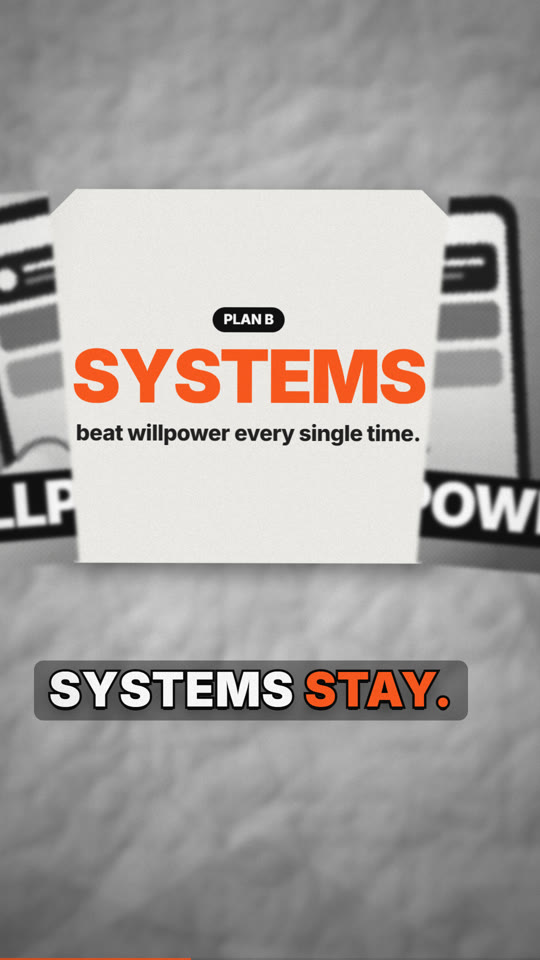
split
A card splits down the middle and the halves slide apart (expo-out) to reveal a second layer behind it.
- Params:
front: {src, title, tag, fill, halftone},back: {src, kicker, title, sub, fill},at(the beat of the split, 3),dir(vorh),shape(chamfer,octagonorrect),spread(how far the halves part, 0.46 of the card),bg(paperorstudio). - A white tear line draws down the card in the 0.35 s before the split. The back layer resolves from 0.9 with a blur.
- Depth: back layer -90, halves +30.
- Cues: paper, riser (it ends on the split), swish, impact, pop, tick.
- {id: split, type: split, bars: 2, params: {at: 2.2, front: {src: assets/phone.svg, title: WILLPOWER, tag: "PLAN A"}, back: {kicker: "PLAN B", title: "*SYSTEMS*", sub: "beat willpower every time."}}}cone
A near-black stage and a spotlight cone from above. The text exists only inside the light (a conic-gradient mask), with dust in the beam and a pool of light on the floor. The light switches on with a flicker. The title is hero type (85% of the safe width), and the cone fits itself to the measured type, with margin for its feather and swing, so no letter is clipped. A darker beam sits behind the type and the accent is lifted so it stays readable. A line holding an accent word waits until that word is spoken.
- Params:
title,sub,kicker,at(the beat the light comes on, 1),angle(degrees, the minimum),swing(degrees, 2.5),x(the source position; default the centre of the type),pool,size,lines. - Cues: thump (lvl 3), zap, swell, tick.
- {id: close, type: cone, bars: 2, params: {kicker: "Habit Lab", title: "START SMALL.\nSTART *TODAY.*", at: 0.4}}coinflip
The kinetic studio: a radial #F4F4F4 → #D9D9D9 background, title words that slide in with a motion-blur trail, and subtitle words that scale 0.8 → 1 with a 4 px blur fade over 5 frames, staggered 6 frames. 3D coins (rotateY, perspective 1000 px, a shadow ellipse) land one by one on an arc, each with a label.
- Params:
title,sub,kicker,items: [{icon | src | text, label, color, face}],at(the beat of the first coin, 2),gap(beats between coins, 1),arc(0-1 sag),subject(a cut-out that rises from the bottom),halftone,bg(studioordark). - Icons:
bell flame gear star check bolt heart clock target user phone chart lock repeat trophy coffee book sun brain spark arrow up play. - Cues: swish (title), tick (sub), whoosh (subject), swish (before each coin) and coin (as each one lands).
- {id: wins, type: coinflip, bars: 2, params: {title: "STACK TINY *WINS*", sub: "Small enough that you never skip.", at: 1.6, gap: 0.9, items: [{icon: clock, label: "2 min"}, {icon: check, label: Daily}, {icon: trophy, label: Streak}]}}orbit
A ring of glowing spheres orbiting a centre sphere that holds a word, an icon or an image.
- Params:
title,sub,kicker,center: {text | icon | src},n(7),items: [{label}],radius(0.42),tilt(0.32),speed(turns per second, 0.07),ball(px),bg(darkorstudio). - Cues: pop, swell, a pop for each sphere, chime.
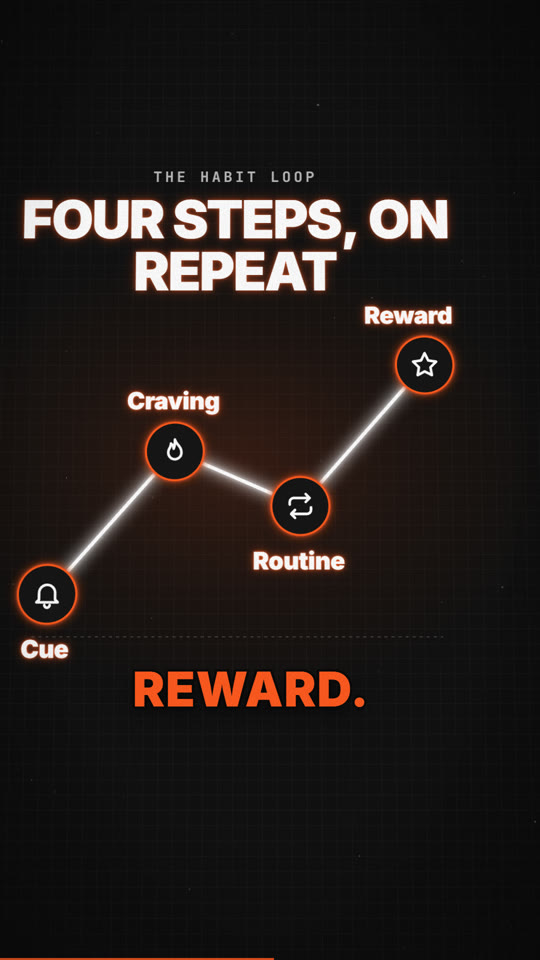
- {id: orbit, type: orbit, bars: 2, params: {title: "EVERYTHING *CONNECTS*", center: {icon: brain}, items: [{label: Sleep}, {label: Food}, {label: Move}]}}neonline
The neon diagram: #111 with a 24 px grid (#2A2A2A at 35%), dust and a vignette. A glowing white line draws segment by segment (stroke-dashoffset, easeOutCubic). A glow icon pops at each vertex (scale 0 → 1.1 → 1 over 6 frames, with a feGaussianBlur bloom merged under the source). Labels are neon (text-shadow 0 0 6px accent, 0 0 20px accent 60%). An electric arc, seeded per frame and displaced by feTurbulence, trails the draw head.
- Params:
title,sub,kicker,steps: [{label, icon, side}](an automatic rising zigzag) orpoints: [{x, y, label, icon}](0-1 of the chart box, with y = 0 at the bottom),kind(zigzagorpath),seg(seconds per segment, 0.6),at(beat, 1.5),color,glow,zap,baseline,node(icon radius),label_size,sync,pulse. - In portrait,
stepsbecome a tall side-to-side zigzag across the safe width, with node radius 92 and labels of 58 px at 1080 wide. - A vertex lands on its own label word when the narration says it (
sync: falsekeepsatandseg). Once drawn, a pulse keeps running the line and each vertex answers it (pulse: falseturns this off). follow(default true in tall mode): the camera pushes along to the active node, one dot rides the whole path and becomes each next node, passed nodes dim, and a closing pull-back shows the whole diagram for at least 0.8 s (the last node moves earlier if it must).- The camera's
neonstyle follows the draw head. - Cues: swish, pop (first vertex), zap {len} for each segment, pop at each vertex, chime on the last one.
- {id: loop, type: neonline, bars: 2, params: {title: "FOUR STEPS, *ON REPEAT*", at: 1.2, steps: [{label: Cue, icon: bell}, {label: Craving, icon: flame}, {label: Routine, icon: repeat}, {label: Reward, icon: star}]}}glowshape
A glowing #F5F5F5 sphere on a starfield that morphs into a box (the border-radius goes from 50% to 14% while it turns and squashes).
- Params:
title,sub,kicker,label,morph(boxornone),morph_at(beat, 3),stars,size. - Cues: swish, swell, pop, swish + thump (the morph), pop (the label).
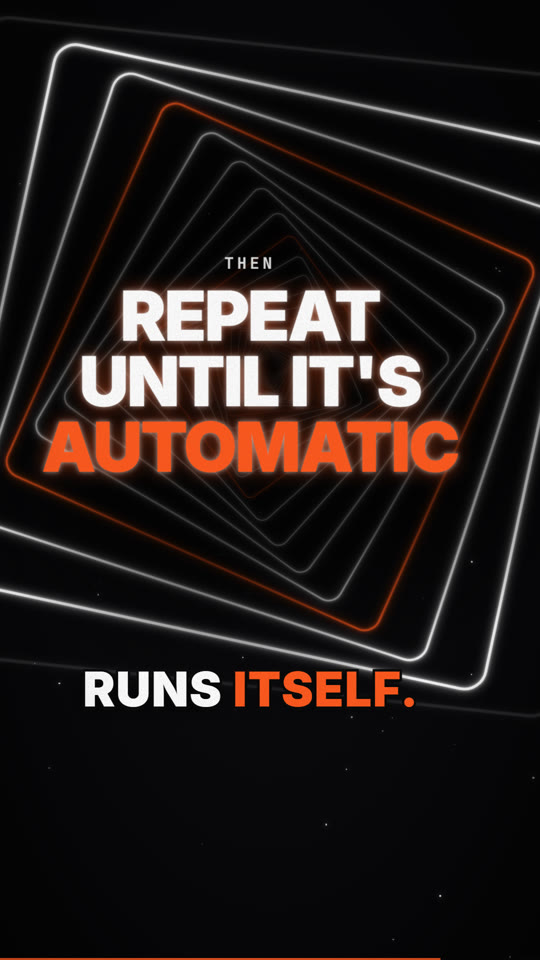
- {id: idea, type: glowshape, bars: 2, params: {title: "ONE IDEA", label: "becomes a *system*"}}tunnel
About 25 nested squares (each layer x0.86 and +6°), with an expo-out zoom-through, a starfield and a dark core behind the title.
- Params:
title,sub,kicker,layers(25),shrink(0.86),twist(6),fly(layers flown through, 7),zoom(seconds, 1.8),color,accent_every(5),reveal(seconds, 1.5). - Cues: whoosh, riser (it ends on the reveal), boom, tick.
- {id: repeat, type: tunnel, bars: 2, params: {kicker: Then, title: "REPEAT UNTIL IT'S *AUTOMATIC*", reveal: 1.2}}ringbloom
N circles bloom around a ring, each 30 ms after the last, around a centre value. A shockwave ring follows when the last one lands.
- Params:
title,sub,kicker,value,label,n(14),radius(0.36),stagger(seconds, 0.03),at(beat, 1),dot. - Cues: swish, swell, tick, chime, ripple.
- {id: ring, type: ringbloom, bars: 2, params: {title: "IN 30 DAYS", value: "30", label: "days of reps", n: 15}}footage
A stock clip played from pre-extracted frames: build/clips/<clip>/f_00001.jpg, and so on, at the project fps. Every frame goes through L.setImg.
- Params:
clip,frames,fps,from(1-based),speed,loop(true),fit(fullorcard),treat: [bw, halftone, grain],grade(warm,coolorteal-orange),title,kicker,title_at(beat, 1),title_pos(bottom,toporcenter),push(0.06),shape(card). halftoneon footage is a 45° printed dot screen multiplied over the B&W frame, which keeps it cheap per frame.- Full-bleed footage sits on an overscanned plane, so camera moves never reveal an edge.
- Cues: whoosh, swish + hit (title), pop (kicker).
- {id: clip, type: footage, bars: 2, params: {clip: sunset, frames: 48, fps: 30, treat: [bw, halftone, grain], title: "GOLDEN *HOUR*", kicker: Footage}}
- {id: clip2, type: footage, bars: 2, params: {clip: sunset, frames: 48, fit: card, grade: teal-orange, treat: [grain], title: "IN A *CARD*"}}tour: screen explainer additions
These extend the tour above (L.Win, L.cam and the capture meta). Desktop-recorder captures with the same layout (NNNNN.jpg + meta.json with x, y, d, c, k, s per frame) work unchanged.
frame:browser(default): window chrome.inset: no chrome. A 12 px white border and a drop shadow on a brand-coloured background (bgoverrides it).none: the bare picture.
fit:contain(default).cover: the view fills its box, which makes a portrait crop that pans with the camera. Portraitinset/nonedefault tocover.
cursor: glow: a white arrow at about 1.5x with a soft halo, and glowing click ripples.zoom: autoor{z, ease, hold, gap}: a virtual camera that zooms to the cursor (1.6-2x) over 0.5 s before each cluster of clicks and pulls back after it, or on a scroll jump. It applies whencamis not set.spotlight: [{m|t0, d, len, rect: {x,y,w,h} | follow: true, size, pad, r, dim}]: everything outside a soft-edged rounded cut-out dims to 66%. The cut-out shrinks onto its target and stays inside the recording.highlight: [{m|t0, d, len, rect, kind: marker|underline|box}]: marks the text being read.- Cues: click (lvl 2); typing {len} (runs of key presses); keycombo; whoosh; pop (callouts); swish (each auto-zoom move); swell (spotlights); scribble or pop (highlights).
- id: demo
  type: tour
  params:
    shot: app
    frame: inset
    cursor: glow
    zoom: {z: 1.8}
    full: true
    spotlight: [{m: task, d: -10, len: 1.2, rect: {x: 280, y: 160, w: 900, h: 60}}]
    highlight: [{m: task, d: 5, len: 1.4, rect: {x: 320, y: 170, w: 300, h: 40}, kind: marker}]
stepcard
A "STEP N" card between the steps of a screen explainer. The number slides in with motion blur and the title resolves word by word.
- Params:
n,title,sub,label("Step"),bg(ink,accentorpaper). - Cues: swish, hit, pop.
- {id: step2, type: stepcard, bars: 1, transition: flash, params: {n: 2, title: "Add a new task", bg: accent}}Captions
captions.style in the brief (or the storyboard) chooses how burned-in captions look:
karaoke(default): the boxed line with words lit as they are spoken.pop: Shorts-style. Group size followsvoice.delivery: 2-3 words for high energy, 3-5 conversational, 4-6 calm. A group breaks at a sentence end, a gap of 150 ms or more, or the word limit, and a stranded "the" or "of" moves to the next group. It opens at its first word, closes at or after its last, fades for 0.12 s if it has time, then goes hard off. The type is Inter 900, uppercase, auto-fitted from 78 down to 42 px (at most 900 wide in portrait), with a heavy stroke and a shadow. The spoken word is in the accent colour, and each group scale-pops 0.85 → 1 in 4 frames. The band (10% of the height) is reserved:c.safeends above it. Only scenes over moving pictures (footage, tour) get a 40% backing plate, because local contrast is low there;params.plate: true|falseoverrides that.minimal: small white type with a shadow and no box.none: no burned-in captions. The caption area is given back to the safe area.
A silent scene can carry on-screen captions with caption: "text" (or a list, like say). The words are timed at reading speed, and nothing is spoken.
# brief.yaml
captions: {burn: true, style: pop}
# storyboard.yaml
- {id: hook, type: collage, caption: "Most of your day runs on autopilot.", params: {...}}
Textures
texture in the brief (or the storyboard) sets the global background. Every texture is generated in the page; none is fetched from a CDN.
paper: crumpled paper, a #C8C8C8 → #707070 radial with a 35% vignette. Two seeded feTurbulence fields are lit by feDiffuseLighting from the top-left and rasterised once to a canvas. Faceted planes, creases, speckle and fibres are added on top.grain: the plain wash with stronger per-frame grain.clean: the wash with no grain.grid: a 24 px ink grid.blueprint: blue with 24 px and 120 px white grids and a vignette.
Grain is a deterministic per-frame tile (seeded), so it is always the same for a given frame. Images can use L.treat(url, {bw, halftone, contrast, cell, mix, lift}), a single cached canvas pass after decode, through L.setImgFx(img, url, fx). Cut-outs use L.cutFilter({outline, color, shadow}), an outline built from a stack of drop-shadows plus a contact shadow.
texture: paper    # paper | grain | clean | grid | blueprint
sfx: {density: standard}     # rich | standard | minimal
Motion rules
Values in L.EASE, L.SPRING and L.TIMING (scripts/stage/lib.js). Sources: the published HyperFrames guidance (Apache-2.0) and the analytic spring maths; reimplemented here.
Spring. L.spring(t, {stiffness: 100, mass: 1, damping: 10}) is the analytic damped spring x(t) = 1 - e^(-ζω0 t)(cos(ω1 t) + (ζω0/ω1) sin(ω1 t)), with ω0 = √(k/m), ζ = c/(2√(km)), ω1 = ω0√(1-ζ²). It is deterministic at any fps. Use ζ 0.7-0.85 for premium arrivals (L.SPRING.premium) and ζ 0.4-0.6 for playful pops (L.SPRING.playful).
Easing by role.
| role | ease | L.EASE |
|---|---|---|
| arrivals | expo.out, power4.out | arrive, arrive2 |
| camera moves, colour floods | power2.inOut | camera, flood |
| zoom-throughs, exits | power3.in | through, exit |
| rotation, progress | linear (only these) | linear |
Timing.
- Fast moves take 0.3-0.6 s.
- Exits are 40-50% shorter than entrances.
- The next element starts when the previous one is 30-50% done.
- Stagger: letters 1 frame, words 60-120 ms, list items 40-80 ms.
- Reading hold: 0.5 s + 0.3 s per word (
L.readHold(n)). - No stretch over 1.2 s without a new visual event.
Type.
- Title reveal (
L.revealWords): per word, blur 6 px → 0 and opacity 0 → 1 in about 0.13 s, 0.067 s apart. - Hero words fill 60-90% of the width (
L.fitHero). - Body type is 4-9% of the frame height.
- Text stays sharp at rest: depth of field applies to non-text planes unless
dof_textis set.
Motion blur. Peaks are 6-12 px at text size and 15-20 px full frame. Whip smears last 0.13-0.3 s and land sharp in about 0.13 s.
Transitions. Zoom through a target: track 0.6 s, then scale from 8% to 250% in 0.35 s with a strong ease-in (through). Object becomes world (world). Colour flood, 0.4 s (flood). Dip cut, darken 40% for 3 frames (dip). Iris, clip-path circle 0.15 s (iris).
Captions. Group 2-3 words for high energy, 3-5 conversational, 4-6 calm. Break at a sentence end, a gap of 150 ms or more, or the word limit. A group opens at or before its first word and closes at or after its last. Exit fade 0.12 s, then hard off. Auto-fit from base 78 down to 42 px, max width 900 in portrait. Use a scrim only when contrast is low.
Layout. Action-safe is 90% and title-safe is 80%. fishvideo qa (stills.mjs --lint, STAGE.lint) checks:
- errors: text outside the platform safe area,
text-overlap(free text on free text) andtext-over-item(a label on an object's opaque pixels; a title on its own paper strips is exempt) - warnings (
warningsinlint.json):outside-action-safe, andoutside-title-safefor large type
Mark free-standing text with data-lb to include it in the overlap checks.
Character, accent, hook
anchor: {src, corner: tl|tr|bl|br, x, y, w, rot, at}(storyboard level, default off): a small cut-out of the recurring object in every scene, with a contact shadow and a slight drift, reacting to the scene's impact, boom, thump and hit cues.wis a fraction of the safe width (0.2). It is placed against the scene's finished layout withL.placeLabel, keeping off text and objects; it shrinks, and is left out of a scene where nothing is free or where that object is already the hero.carry: {src, at, x, y, w, rot, corner}(scene field) sets or overrides it for one scene, andcarry: falseremoves it.atis in seconds.accent: "#hex"(scene field) overrides the brand accent for that scene's CSS variables, captions, glows andflood. The type system stays fixed.- Hook motion (first scene with a style or
camera): frame 0 is full, the camera takes a fast spring push and the title slams 1.14 → 1 from t = 0, with animpactcue.params.hook_motion: falseturns this off.
Camera
Every scene is filmed by one 3D virtual camera. The scene root has a CSS perspective (P = 1100 px at u = 1), and the scene is built in a preserve-3d world that moves opposite to the camera. L.layer(el, z) puts an element on a depth plane. Each plane is pre-scaled by (P - z) / P, so at the rest pose the layout is exactly what the scene laid out, and the lint checks that layout. Any camera move then gives real parallax. Planes at z ≤ -300 are overscanned by 22%, so lateral moves never reveal an edge.
Typical depths:
- background -800
- the subject 0
- labels and arrows +120 to +250
Layers can be set per item: z: on collage items and labels, bg_z, title_z and ink_z.
Scene fields (on the scene, or in params):
camera, one of:- a preset:
static,drift,dolly-in,dolly-out,push-in,orbit-left,orbit-right,crane-up,crane-down,push-through,whip-leftorwhip-right. Combine presets with+. - a style:
paper(= drift + dolly-in),studio(= push-in 1.0 → 1.08 + bob),glow(= push-through),neon(= crane-up + follow the draw head) orscreen(= static; the tour's own zoom-to-cursor does the work). - keyframes:
[{t | beat | m, x, y, z, rx, ry, rz, fov, focus_z, ease}]. Values carry forward, andease(expo-out,cubic,cubic-in,cubic-out,back-outorlinear) shapes the segment arriving at that key.mis a capture mark (in tour scenes). - an object:
{preset, amount, keys, follow}.amountscales the presets, andkeysadd on top of them.
- a preset:
camera_from: prev: start from the previous scene's end pose and blend into this scene's move overcamera_blendseconds (0.9). One move then carries through the cut.camera_shake: 0..1: handheld micro-motion. It is seeded smooth noise (a sum of sines), about ±4 px and ±0.3° at 1.camera_shake_on: impact: adds a short decaying kick on the scene's impact, boom, thump and hit cues.dof(blur per unit of depth, 0.03) anddof_max(6 px): depth of field once a key setsfocus_z. Each plane blurs by |z - focus_z|. Keyframefocus_zfor a rack focus. Planes holding text (and the arrow ink) stay sharp;dof_text: trueblurs them too.
Default style by scene type:
paper: collage, splitstudio: coinflip, orbitneon: neonline, ringbloomglow: glowshape, tunneldrift: cone, footagescreen: tour- the original scenes (title, kinetic, bullets, stat, chart, diagram, whiteboard, end and the rest): a subtle
drift,drift+dolly-inordrift+push-inwhenbrief.styleis set static: the original scenes in a legacy brief with no style and nocamera, so those projects render as before
Liveliness: with a style or a camera, every scene but tour also gets spring micro-pushes on its spoken phrases (alternating, so they stay bounded). Gaps are filled so that no stretch exceeds about 1.1 s without a new visual event.
Lens:
- Motion blur follows the camera's speed above 9 px per frame. Fast lateral moves get a directional blur; z moves get a soft blur.
- The vignette tightens as the camera pushes in.
zoomtransitions are real camera z-moves into scene A and out of scene B.
Cues: a fast camera move gets a whoosh (or a swish if it lasts under 0.3 s) 0.1 s before it starts. push-through lands an impact on arrival.
Determinism: the pose is a pure function of (scene, t), with no timers. Fonts used by the stage are preloaded, so the first layout matches every later one.
- id: hook
  type: collage
  camera: {preset: drift+dolly-in+orbit-right, amount: 0.55}
- id: split
  type: split
  transition: zoom
  camera_shake: 0.35
  camera_shake_on: impact
  camera:                       # rack focus: the front card, then the layer behind it
    preset: drift
    keys: [{t: 0, focus_z: 30}, {t: 1.0, focus_z: 30}, {t: 1.6, focus_z: -90, ease: cubic}]
- id: repeat
  type: tunnel                  # glow = push-through: the camera flies through at the end
- id: close
  type: cone
  camera_from: prev             # starts inside the push-through and pulls back into the spotlight
  camera_blend: 1.2
- id: whip
  type: coinflip
  camera: whip-left+push-in
- id: keyed
  type: neonline
  camera: [{t: 0, z: 0, ry: -4}, {t: 2, z: 90, ry: 4, ease: expo-out}, {at: end, y: -40}]
In a custom scene, call L.layer(el, z) after building el under the scene root. Set cam: "paper" (or any style or preset) on the scene definition to give it a default move, and set st.camHint = {x, y} (stage px) in update to give the follow styles a target.
references/diagram-design.md4.5 KB
Diagram and visual-element design
Explainers need a real diagram: a picture of the mechanism. A list of bullets does not count. These rules decide which diagram to use, how to order and colour it, and how to animate it so it teaches.
Pick the diagram from the sentence
| The narration says… | Diagram | Scene |
|---|---|---|
| "A leads to B leads to C" | flow, 3–5 nodes, arrows in reading order | diagram (clean) / whiteboard flow: / neonline path |
| "X is made of a, b, c" | anatomy: the object in the centre, labels with arrows on the parts | collage labels + arrows |
| "It repeats / feeds itself" | cycle: 3–5 nodes on a circle, arrows clockwise | diagram with layout: cycle / whiteboard circle + arrows |
| "Before vs after" / "you think vs reality" | split or a two-line chart | split, compare, neonline (straight vs zigzag) |
| "It grows / falls over time" | line or bar chart of sourced values | chart, neonline |
| "Inside X there is Y" | zoom-in layers: the outer object, then a push-through to the inner one | camera push-through, split reveal |
| "Three options" | lanes: the same action in parallel rows | compare / stick-fable lanes |
| "Where it sits in a system" | architecture: boxes, one highlighted | diagram with hi: true on one node |
Ordering
- Follow reading order: left→right in landscape and top→bottom in portrait. Cycles run clockwise from 12 o'clock.
- Reveal in narration order. Each node or label appears on the beat where its word is spoken (within 3 frames), never all at once.
- Use 3–5 elements per diagram. More than that gets split into two scenes, or the first ones are collapsed into a single node.
- Build the cause before the effect. The arrow draws after its source node and before its target appears.
Colour
- Neutral ink for structure: boxes, arrows and labels use
ink/muted. - Use the accent on one thing only: the node, arrow or word the beat is about. When the beat moves on, the accent moves with it and the previous element returns to ink.
- A second colour (
accent2) only marks a contrast pair (before/after, expected/real). - On dark styles, glow is the emphasis: bloom only the active element.
- The ink-to-background contrast ratio must be at least 4.5:1.
Shape language per style
| Style | Nodes | Connectors | Labels |
|---|---|---|---|
| paper-collage | real cut-out objects with contact shadows | hairlines and hand-drawn curved arrows | heavy grotesk, about 3× hero size |
| neon-diagram | glow icons and rounded boxes | a glowing line drawn by a head (dashoffset) | neon caps, +8% tracking |
| whiteboard | rough.js boxes and circles | marker arrows | Caveat |
| studio-kinetic | white cards with soft shadows; coin discs | thin grey arcs | bold sans |
| glow-metaphor | spheres and rings | light trails | small caps at the top |
Motion that teaches
- Draw, don't fade: strokes reveal by length (0.5–0.75 s per segment, ease-out).
- Each new node pops with scale 0→1.1→1 over about 6 frames and gets a
popcue (azapon neon). - Each arrow gets a
swishcue as it draws. The final takeaway gets ariserthat ends on it, and animpact. - The camera follows the build. Push in slightly on the active node, then pull back to show the whole diagram at the end of the beat, so the viewer gets one finished frame to read for at least 0.8 s.
Theme selection from mood and script
The interview's style and palette answers win. When the user chose "style default" or the agent must choose, map the dominant mood of the script to these defaults:
| Mood of the script | Style | Palette | Music mood | Delivery |
|---|---|---|---|---|
| curious, factual, "how it really works" | paper-collage | mono-paper | dark-drone | calm |
| bold, business, people, products | studio-kinetic | studio-lime | hiphop-groove | punchy |
| tension, failure vs success, data | neon-diagram | neon-amber | dark-build | punchy |
| reflective, motivational, mindset | glow-metaphor | mono-glow | cinematic-swell | cinematic |
| practical, step-by-step software | screen-explainer | brand or ocean-tech | lofi-tech | calm |
| technical teaching | whiteboard-explainer | warm-paper | calm-pulse | calm |
| funny or blunt comparison | stick-fable | mono-red | phonk-loop | none |
This map is also in config/styles.yaml → mood_map. Say which mood you detected and what you chose in the interview summary, so the user can override it before creation starts.
references/pacing-and-music.md6.2 KB
Pacing and music: editing on a 120 BPM bar grid
The grid
- At 120 BPM, one beat is 0.5 s and one bar (4 beats) is 2.0 s. At 30 fps that is 15 frames a beat and 60 frames a bar.
- Every scene is a whole number of bars, so every cut lands on a downbeat.
- Inside a scene, entrances land on beats: title words at beat 1, the subtitle at beat 3, chips every half beat from beat 5.
storyboard.pysizes scenes in bars:
need  = max(min_visual(scene), lead_in + Σ(narration lines + gaps) + tail)
bars  = ceil(need / 2.0)
The defaults are lead_in 0.35 s, line_gap 0.30 s and tail 0.55 s. The first word arrives just after the cut, and the picture holds a breath after the last word.
Why this works:
- The music synthesiser builds its arrangement bar by bar, so a scene change is a musical phrase change.
- Risers end exactly on the cut, and impacts hit on it.
- The viewer feels the edit as intentional even when nobody notices the grid.
Pacing rules of thumb
| Scene | Bars | Notes |
|---|---|---|
| hook | 1.5–3 | Under 3 s to the first payoff. No logo first. |
| title | 2–4 | Logo → name → promise → chips, on beats. |
| kinetic | 1–3 | About 6 words a line; hold ≥ 1 s after the last word. |
| bullets / steps | 2–4 | One item per narration beat; ≥ 1 s per item. |
| whiteboard | 3–6 | Draw while speaking. The takeaway arrives last and holds ≥ 1.5 s. |
| stat | 2 | Count up over 2 beats, then hold. |
| tour | 2–6 | One callout at a time, ≥ 2 s each. Speed 1.0–1.6×. |
| end | 2–3 | Energy 0, hold ≥ 2 s on the final frame. |
Further rules:
- Never hold a frame without motion for more than about 4 s. If the narration is long, add drawing, a camera move or a callout.
- Reading time for on-screen text: at least
0.3 s + 0.06 s × characters, at the latest after the element has fully arrived. - Narration rate: en-IN about 145 wpm (edge-tts Neerja at -6%; ElevenLabs at speed 0.96). Budget about 2.4 words per second of scene, which leaves the music room.
- Cut length variety: alternate long and short scenes (3, 2, 4, 2…). Five equal scenes in a row feel mechanical.
- Chapter wipes: use them every 20–40 s in long cuts. The wipe straddles the cut (±0.34 s) and carries a whoosh.
- Reference matching:
reference.pyreports the median shot length in bars. If the reference cuts every 1.5 bars and yours every 3, your video will feel slower than the reference. Either split scenes or speed the inner animation.
Energy curve
Each scene has an energy from 0 to 3, which the music follows:
| energy | arrangement |
|---|---|
| 0 | pads, sparse plucks, a bell figure at the outro |
| 1 | kick on 1 and 3, off-beat hats, long bass notes, 8th-note plucks |
| 2 | four-on-the-floor kick, clap on 2 and 4, 16th plucks, syncopated bass |
| 3 | + shaker 16ths, open hat, bell motif every other bar |
Transitions follow these rules:
- Before a lift (when the next bar's energy is higher), a 0.75-bar riser plays, with a clap roll in the second half.
- On the lift, an impact lands.
- Into energy 0 at the end, an impact plays, followed by a falling bell figure.
Defaults by scene:
- The first scene is 1, and
endis 0. tourandstatare 3.- Most others are 2.
quoteandimageare 1.
A good curve for a 60 s explainer: 1 → 2 → 2 → 2 → 3 (proof) → 2 → 0. Lift into the proof and the tour, and land on 0 for the end card.
The score (music.mjs)
The score is fully synthesised in JavaScript, 48 kHz stereo float, and seeded so a re-render is identical. That means no samples, no stems and no licences. Settings live in score: in the brief or storyboard:
score: {key: D, mode: minor, progression: i-VI-III-VII, seed: 12345, drums: true, sfx: true}| progression | mood |
|---|---|
i-VI-III-VII (minor, default) |
driving, hopeful-serious, the "tech explainer" sound |
i-iv-VI-V (minor) |
tense, building |
I-V-vi-IV (major) |
bright, upbeat promo |
vi-IV-I-V (major) |
warm, emotional |
I-vi-IV-V (major) |
classic, friendly |
Chords are diatonic 9th voicings (root, 3rd, 5th, 7th, 9th). Bass is the root at octave 2.
The layers are:
- kick (sine sweep 156→46 Hz, with a sidechain duck on everything tonal)
- clap (three noise bursts through a band-pass)
- hats and a shaker
- sub bass (sine + 2nd + 3rd harmonics, filtered)
- pads (3 detuned saws per note, a two-pole low-pass with an LFO)
- a pluck arpeggio with a dotted-eighth ping-pong delay
- an FM bell
- risers and impacts
- a Freeverb room on a send bus
- tanh bus saturation and a 1.2 s fade at the end
Sound design cues
Scenes export cues (cues(c) → [{lt, type, len}]), and the mixer places them:
| cue | sound | use for |
|---|---|---|
hit |
low impact | a title landing, a big reveal |
swell / rise / riseShort |
riser | before a reveal |
whoosh / swoosh / wipe |
filtered noise sweep (panned) | movement, a window entering, chapter wipes |
pop |
short pitched blip | a chip, card or callout appearing |
tick |
click | a small text entrance |
click |
UI click | recorded clicks (automatic from captures) |
key / keycombo / typing / enter |
keyboard | recorded keys, terminal typing |
scribble / write / slash |
marker on a board | whiteboard strokes, handwriting, strike-through |
blips |
pentatonic blips in the key | counters, cells lighting up |
sweep |
rising tone | chart bars growing |
chime / alert |
bells | success, approval card |
Rule: every visible event gets a sound, and no sound plays without a visible event. At most one prominent SFX per beat.
Mixing with a voice
- The music bed sits 10 dB under the voice (
mix.music_under_voice_db), carved and ducked about 6 dB while speaking; SFX are a separate, unducked stem. See sound design. sidechaincompresskeyed by the voice ducks the bed further while the voice speaks: threshold 0.04, ratio 6, attack 20 ms, release 380 ms.- The voice post chain: high-pass at 85 Hz, -2 dB at 280 Hz, +1.5 dB at 4.8 kHz, +3 dB shelf at 9 kHz, gentle 2.5:1 compression, a short 23/41 ms room.
- The master gets two-pass
loudnormto I = -14 LUFS, TP = -1.5 dBTP, LRA = 11, linear mode, measured first.
references/sound-design.md7.4 KB
Sound design and mix
The audio is three stems, mixed separately and never on one bus:
| Stem | Source | Processing | Level target |
|---|---|---|---|
| voice | TTS clips (ElevenLabs, edge-tts or Kokoro) or the user's own VO | HPF 85 Hz, −2 dB at 280 Hz, +1.5 dB presence at 4.8 kHz, air shelf, comp 2.5:1, short room | about −16 LUFS short-term while speaking |
| music (BGM) | a library track (assets/music/*, logged in credits) or the synthesised score (music.mjs) |
bass harmonics, gentle −1.5 dB mid dip (mix.music_carve_db), mid-band sidechain duck from the voice |
mix.music_under_voice_db (default −10 dB under the voice, measured on a simulated phone) |
| sfx | samples from assets/sfx/, sfx/library/ (Kenney CC0, Freesound CC0), else synthesised |
none; not ducked | per cue type, see the table below |
The sum is loudness-normalised to the platform target (−14 LUFS with true peak −1.5 dBTP on long formats, −12 LUFS with −1 dBTP on Shorts, Reels and TikTok) and limited.
Why it is built this way: in v1 the voice ducked the whole bed, SFX included, at ratio 6 on a −5 dB bed. The BGM vanished under narration and the risers and clicks were swallowed. The references keep music clearly audible, about 8–12 dB under the voice, and keep SFX on top in the word gaps.
Translating to phone and laptop speakers
Headphones reproduce everything. A phone speaker plays almost nothing below 200–300 Hz, and usually plays mono. A bed of pads and sub bass can sound right on headphones and disappear on a phone. A mix that only works on headphones is a failed mix. The renderer does five things about it:
- Levels are balanced through a phone simulation (
render.PHONE_SIM: mono, high-pass around 250 Hz, +3 dB at 2.5 kHz, low-pass at 10 kHz).mix.music_under_voice_dbis measured there, capped bymix.music_max_fullband_dbso headphones stay balanced. - Psychoacoustic bass. The low band is saturated, and its 150–1200 Hz harmonics are blended back (
mix.translate). The ear infers the missing fundamental, so bass stays audible on speakers that cannot play it. - A multiband duck. Only the mid band (150 Hz–4 kHz, where words live) ducks under the voice. A full-band duck also pulled down the harmonics, which is exactly what a phone relies on.
- SFX are calibrated by events, not by integrated loudness, which hides short sounds. On a phone, a typical SFX event peaks
mix.sfx_under_voice_db(default −7 dB) below typical speech. Every impact, boom and thump also has a 150–400 Hz body and a 2–4 kHz click, so a phone gets the click and headphones get the body. - Louder masters for vertical platforms: −12 LUFS with a −1 dBTP ceiling on Shorts, Reels and TikTok.
QA's speaker translation check measures how much of the mix a phone throws away, the voice-to-bed gap on a phone, and mono safety. Listen to build/<platform>/phone-monitor.wav, or play the final video on a real phone at low volume. A simulation is not a phone.
If the music still vanishes: raise mix.translate.music_harmonics_db (−4 → −2), choose a brighter track (a sub-heavy drone has little for a phone to play), or lower mix.music_under_voice_db (−10 → −8).
Cue vocabulary (scene cues) and default levels
| cue | sound | length | level (dBFS before master) | place it |
|---|---|---|---|---|
swish |
airy noise sweep, 5–6 kHz centroid | 150 ms | −24 | 0.08–0.12 s before an element moves |
whoosh |
fuller sweep with low body | 350 ms | −20 | on camera moves and zoom-throughs |
wipe |
long whoosh | 600 ms | −18 | chapter wipes |
riser (len) |
noise and tone rising, cut dead | 0.6–1.2 s | −22 → −14 | ends on the reveal (lt is the end) |
impact / hit |
sub thump with a short noise burst | 400 ms | −13 | title slams, flash cuts |
boom |
deep sub with a long tail | 1.2 s | −15 | big reveals, end card |
thump |
80 Hz, short | 250 ms | −16 | slides, landings |
pop |
short tonal blip | 70 ms | −26 | element arrival (rich density) |
tick |
3.6 kHz click | 30 ms | −30 | small labels, counters |
click |
mouse click | 40 ms | −20 | every recorded click (screen scenes) |
ripple |
soft bubble | 120 ms | −28 | click ripples |
zap |
glassy, >5 kHz, crackle tail | 60 ms | −22 | neon vertex hits |
coin |
metallic flip | 150 ms | −22 | coin flips |
paper |
paper slide or rustle | 250 ms | −24 | collage cards entering |
flash |
air burst with impact | 300 ms | −16 | white flash transitions |
typing (len) |
key run | len | −26 | terminal and screen typing |
scribble (len) |
marker | len | −24 | whiteboard strokes |
chime, swell, blips, sweep, key, keycombo, enter, tok, alert |
v1 synth cues, kept |
Density (sfx.density from the interview)
- rich: every cue is placed. Use it for Shorts and motivational or explainer pieces.
- standard: transitions, reveals, impacts, risers and clicks only. Pops and ticks are dropped.
- minimal: impacts, risers and booms only (as in R5, stick-figure or music-led pieces).
Two rules apply at every density:
- Never stack more than 2 SFX within 80 ms. The later one is dropped.
- No
poportickis placed within 60 ms of a stressed spoken word.
Music
There are two sources, chosen in the interview (music.mood, music.source).
- A library track (preferred when real assets are allowed).
fishvideo assets search <dir> --kind music --q "<mood words>".- Or the user drops a file in
assets/music/. - The renderer finds its tempo, trims it to length on a bar line, fades the last 1.5 s, and logs it in
credits.json. - Licences allowed: CC0, Pixabay Content License, CC-BY (credited). Never NC or ND, and never anything ripped from YouTube.
- Synthesised score (
music.mjs).- Moods map to key/mode/progression/tempo presets in
config/styles.yaml.
- Moods map to key/mode/progression/tempo presets in
Bed rules:
- The music starts at frame 0 (no fade-in on Shorts).
- It is audible in every gap.
- It is ducked about 6 dB under the voice (attack 10 ms, release 250 ms).
- It fades over the last 1.5 s, or cuts dead after a final impact when the style says
end: silence.
Mix settings (config/defaults.yaml → mix:)
mix:
  voice_lufs: -16            # voice stem normalised to this before summing
  music_under_voice_db: -10  # music under the voice, on a simulated phone
  music_max_fullband_db: -6  # never louder than this under the voice, full range
  music_carve_db: -1.5       # gentle static mid dip
  translate: {music_drive_db: 14, music_harmonics_db: -4, music_width: 0.85, sfx_drive_db: 16, sfx_harmonics_db: -6}
  duck: {threshold: 0.05, ratio: 3, attack: 10, release: 250, makeup: 1}   # mid band only
  sfx_gain_db: 0             # manual trim on the SFX stems
  sfx_under_voice_db: -7     # automatic: a typical SFX event on a phone, relative to speech
  sfx_max_boost_db: 12
QA measures the stems: the voice-to-music gap while speaking should be between 6 and 14 dB, music in the gaps must be no quieter than −30 LUFS short-term, and SFX must be audible (at least 3 events above −35 dBFS for rich density). A WARN tells you which knob to turn.
Listening check (do it yourself)
Use dissect.py on your own final.mp4 and compare its timeline.md balance numbers with a reference's. Then open spectrogram.png. You should see:
- the voice harmonics on top
- a steady music layer underneath that never disappears
- thin swish smears just before each cut
references/captions-and-typography.md4.3 KB
Captions and typography
Type system
| Role | Face (bundled) | Weight | 16:9 size (u = 1) | 9:16 size |
|---|---|---|---|---|
| Display / headline | Inter (--display) |
700, tracking -0.035em | 128 (fitted) | 100 (fitted) |
| Serif accent (contrast word, quotes, tagline) | Fraunces italic | 400 | 0.8–1.2 × display | same |
| Section title (h2) | Inter / Fraunces | 600–700 | 72 | 60 |
| Body / bullets | Inter | 550 | 34–40 | 36–42 |
| Eyebrow / kicker / step tag | JetBrains Mono, uppercase, +0.2em | 400–600 | 22 | 28 |
| Whiteboard | Caveat | 600–700 | 84–96 title, 38–64 notes | scaled board |
| Code / terminal | JetBrains Mono, ligatures off | 400–700 | 32 | 32 |
| Hindi / Devanagari | Noto Sans Devanagari (fallback in every stack) | 400–700 | as above |
Rules:
- Use two families plus mono. Contrast comes from size, weight and the one serif-italic word, not from more fonts.
- Use one accent colour per scene, on the single most important word or shape.
- Headline ≤ 8 words. Bullet ≤ 7 words. Kinetic line ≤ 6 words. If the text does not fit at the size above, cut words. Do not shrink the text below the minimum.
- Minimum on-screen size: 22 px on a 1080-tall 16:9 frame, 24 px on 4:5 and 1:1, and 28 px on 9:16. The QA lint enforces this.
- Contrast ≥ 4.5:1 for body text and ≥ 3:1 for display text. Check
inkonbgandmutedonbgwhen you choose brand colours. - Safe areas: every text element lies inside the platform's safe margins (see platform-specs). The lint fails any text outside them.
- Numbers use tabular figures in counters (
font-variant-numeric: tabular-nums). Use the thousands separator for the locale (10,631 / 10 631 / 10.631). Put units next to the number. - Line length: use about 45 characters maximum for body text on 16:9 and about 28 on 9:16.
- Text never moves while it is meant to be read. Animate it in, hold it, then animate it out. Read time is at least 0.3 s + 0.06 s per character.
Captions
Cue building (captions.chunk_words)
Input: word timings [{w, t0, t1}] from the TTS, mapped back to displayed words through {shown|spoken}.
| Rule | 16:9 | 4:5 / 1:1 | 9:16 |
|---|---|---|---|
| max characters per line | 42 | 32 | 26 |
| max lines | 2 | 2 | 2 |
| min cue duration | 0.9 s | 0.9 s | 0.9 s |
| max cue duration | 6 s | 6 s | 6 s |
| max reading speed | 20 chars/s | 20 | 20 |
Further rules:
- Break after
. ! ? : ;, or after a comma once the cue is about 45% full. - Never span a pause longer than 0.6 s.
- A cue holds up to 0.45 s after its last word, but never overlaps the next cue.
- Line wrap is balanced: two lines of similar length beat one long line and one short one, with a bonus for breaking at punctuation.
Outputs
- SRT (
HH:MM:SS,mmm) and VTT (WEBVTT,HH:MM:SS.mmm) ship for every platform. Upload the SRT to YouTube as subtitles; it is also good for LinkedIn's caption upload. - Burned-in captions are drawn by the stage on
linkedin,linkedin-square,shorts,reels,tiktokandx. Override withcaptions: {burn: true|false}in the brief. How the burned-in captions look and sit:- Inter 700 at 44 px × u, on a surface-coloured rounded box.
- Each word lights (opacity 0.38 → 1) as it is spoken, and the current word takes the accent colour.
- The caption band is reserved: scenes lay out above it (
c.safeexcludes it), so captions never cover content. - Position: above the platform's bottom safe margin, so app UI never covers them.
- Fallback burn-in for footage the stage did not render:
python scripts/captions.py burn in.mp4 subs.srt out.mp4(libasssubtitlesfilter, styled box).
Checks (qa.py)
- The SRT parses, and no cue overlaps the next.
- No line is longer than the platform's maximum, and no cue has more than 2 lines.
- Reading speed is ≤ 25 characters/s (20 × 1.25 tolerance).
- No cue ends after the video.
- Sync: every spoken word's midpoint falls inside a cue (±0.25 s).
Accessibility
- Captions are on by default. They should always be available, even where they are not burned in.
- Never put essential information only in sound, or only in colour.
- Avoid flashing above 3 Hz. Keep wipes ≥ 0.6 s.
- Spell brand words in captions the way the brand spells them: the
shownside of{shown|spoken}.
references/voice-direction.md6.0 KB
Voice direction
The default voice
| Provider | ElevenLabs (default) |
| Voice | fydPJq00SigRIaPxWgiS, English (India): https://elevenlabs.io/voices/fydPJq00SigRIaPxWgiS |
| Model | eleven_multilingual_v2 |
| Settings | stability 0.42 · similarity_boost 0.8 · style 0.18 · use_speaker_boost true · speed 0.96 (max 1.12) |
| Context | previous_text / next_text sent with every line (use_context: true), so the intonation carries across lines |
| Endpoint | POST https://api.elevenlabs.io/v1/text-to-speech/{voice_id}/with-timestamps?output_format=mp3_44100_128, header xi-api-key |
| Key | ELEVENLABS_API_KEY from the environment, or from a gitignored .env in the project or skill folder. Never printed, logged, written to metadata, or committed. |
| Fallback | edge-tts en-IN-NeerjaNeural, rate -6%, pitch +0 Hz. It is free and needs internet. It is used automatically when no key is set, or when an ElevenLabs call fails; the run prints a !! line saying so, and metadata.json records stand_in_for. |
These settings match Promotion/src/explainer/voice.config.json, which is used for the ImuTechz explainer. Change them per project in brief.yaml under voice:.
voice:
  provider: elevenlabs          # elevenlabs | edge-tts | none
  language: en-IN
  elevenlabs: {voice_id: fydPJq00SigRIaPxWgiS, model_id: eleven_multilingual_v2,
               voice_settings: {stability: 0.42, similarity_boost: 0.8, style: 0.18, use_speaker_boost: true, speed: 0.96}}
  fallback: {provider: edge-tts, voice: en-IN-NeerjaNeural, rate: "-6%"}
  pronunciations: {IMURUN: "Imu run", GGUF: "G G U F", ImuTechz: "Imu techs"}
Word timings
- ElevenLabs returns
alignment.characterswith start and end times per character.voice.eleven_wordsgroups characters into words on whitespace. A word is timed by its letters and digits only, so a trailing comma does not stretch the word. - edge-tts emits
WordBoundaryevents (offset and duration in 100 ns ticks). The script locates each one in the spoken string to get a character index. - Both are mapped back to displayed words through the
{shown|spoken}units. Captions therefore show "GGUF" while the voice says "G G U F".
Respelling: {shown|spoken}
Write what the viewer should read on the left and what the voice should say on the right.
| Shown | Spoken | Why |
|---|---|---|
{GGUF|G G U F} |
letters | Acronyms spelled out |
{SQL|sequel} |
a word | Acronyms said as words, where that is the convention |
{v0.3|version zero point three} |
expanded | Versions |
{10,631|ten thousand six hundred and thirty-one} |
words | Big numbers (en-IN may otherwise say "ten thousand, six thirty-one") |
{2.1×|two point one times} |
words | Symbols |
{C++|C plus plus} |
words | Punctuation in names |
{Ctrl K|Control K} |
full | Keys |
{imutechz.in|Imu techs dot in} |
spoken URL | Domains |
{Qwen|Kwen}, {Phi|Fye}, {LoRA|Lora} |
phonetic | Brand and model names |
{R&D|R and D} |
words | Ampersands |
{₹499|four hundred and ninety-nine rupees} |
words | Currency, in the locale's order |
Put recurring words in voice.pronunciations once. They are applied to every line as whole words, but never inside an existing pair.
Directing the read
- Write for the ear. Use short sentences, and put the verb early. Give one idea per line, because each line is one TTS call, one clip and one caption group.
- Punctuation is direction.
- A comma is a short breath.
- An ellipsis
…is a held, thinking pause; use it before a reveal. - A colon sets up a list or payoff.
- An em dash is an aside.
- Question marks lift the pitch, so avoid them unless you mean them.
- Emphasis: the TTS stresses the new information at the end of a sentence. Put the key word last: "…runs on your machine."
- Numbers: say them once, clearly. Don't stack two numbers in one sentence.
- Pace: ElevenLabs speed 0.92–1.0 for explainers, 1.0–1.08 for promos. edge-tts rate -8% to +4%.
- If a scene has a fixed
barsand the line overruns, cut words before you speed up. - Never exceed
max_speed1.12 ormax_rate+8%.
- If a scene has a fixed
- Consistency: keep one voice per video, and keep settings identical across lines. Changing the text of one line re-voices only that line, because clips are cached by text and settings.
Locales
| Locale | ElevenLabs | edge-tts fallback voices | Notes |
|---|---|---|---|
| en-IN (default) | fydPJq00SigRIaPxWgiS |
en-IN-NeerjaNeural (f), en-IN-PrabhatNeural (m) |
about 145 wpm; Indian number words ("lakh", "crore") only if the brand uses them |
| hi-IN | any multilingual_v2 voice with language_code: hi |
hi-IN-SwaraNeural (f), hi-IN-MadhurNeural (m) |
about 130 wpm; captions in Devanagari (Noto Sans Devanagari is bundled); keep product names in Latin script |
| en-US | multilingual voices | en-US-AriaNeural, en-US-AndrewMultilingualNeural, en-US-GuyNeural |
about 155 wpm |
| en-GB | en-GB-SoniaNeural, en-GB-RyanNeural |
about 150 wpm | |
| ta-IN, bn-IN, mr-IN, te-IN | multilingual_v2 | ta-IN-PallaviNeural, bn-IN-TanishaaNeural, mr-IN-AarohiNeural, te-IN-ShrutiNeural |
check whether the caption font covers the script; add a Noto face via brand.font_files |
| es, fr, de | multilingual_v2 | es-ES-ElviraNeural, fr-FR-DeniseNeural, de-DE-KatjaNeural |
text expands 15–30%; recheck the fits |
List voices with python scripts/voice.py voices --locale en-IN. The command lists edge-tts voices, plus your ElevenLabs voices when a key is set.
No narration
Set voice: {provider: none} for a music-only cut. Scenes then size from their animation, captions are empty, and on-screen text has to carry the message. Use kinetic and bullets more, and add 1–2 bars to every text scene.
Checklist
- Every acronym, number, symbol and brand word is respelled.
- I listened to the first and last line and to every number.
- No line is longer than about 20 words.
- The run says which provider was used. If it was the fallback, the user knows.
references/platform-specs.md3.8 KB
Platform specs
These are the profiles in config/defaults.yaml. Override fields per project with brief.platform_profiles.<name>. Platforms change their limits. Check the platform's current help page before relying on a hard limit for a client delivery, and update max_seconds if it has changed.
| key | Frame | fps | Captions | Safe margins (top/right/bottom/left px) | Length limit used | Video | Audio |
|---|---|---|---|---|---|---|---|
youtube |
1920×1080 (16:9) | 30 | SRT upload (not burned) | 70/110/80/110 | none | H.264 High, CRF 18, maxrate 16M | AAC 192k 48 kHz stereo |
linkedin |
1080×1350 (4:5) | 30 | burned + SRT | 70/64/80/64 | 600 s | CRF 19, maxrate 10M | AAC 192k |
linkedin-square |
1080×1080 (1:1) | 30 | burned + SRT | 60/64/64/64 | 600 s | CRF 19, 10M | AAC 192k |
shorts |
1080×1920 (9:16) | 30 | burned | 240/140/420/64 | 180 s | CRF 19, 12M | AAC 192k |
reels |
1080×1920 (9:16) | 30 | burned | 250/140/480/64 | 90 s | CRF 19, 10M | AAC 192k |
tiktok |
1080×1920 (9:16) | 30 | burned | 220/160/460/64 | 600 s | CRF 19, 10M | AAC 192k |
x |
1920×1080 (16:9) | 30 | burned + SRT | 70/110/90/110 | 140 s | CRF 20, 12M | AAC 128k |
thumbnail |
1280×720 PNG | n/a | n/a | 40/56/40/56 | n/a | n/a | n/a |
Common to every cut:
- H.264 High profile,
yuv420p - constant 30 fps, GOP 2 s (
-g 60) - AAC-LC 48 kHz stereo
-movflags +faststart(the moov atom first, for progressive playback)- integrated loudness -14 LUFS, true peak ≤ -1.5 dBTP, two-pass
loudnorm, linear mode
Why these numbers
- -14 LUFS: YouTube, Spotify and most social apps normalise playback to roughly -14 LUFS. Mastering there means the platform neither turns you down (wasting dynamics) nor up (raising noise). -1.5 dBTP leaves headroom for AAC encoding overshoot.
- 4:5 for LinkedIn: in a desktop or mobile feed it takes about 25% more screen than 16:9. Square is the safe alternative.
- Burned captions on social: most feed video autoplays muted. YouTube viewers expect selectable subtitles, so YouTube gets an SRT instead.
- 9:16 safe zones:
- The top band holds the account and search UI.
- The right column holds like, comment and share.
- The bottom band holds the caption, music ticker and CTA.
- Keep text and faces inside the safe rectangle. Burned captions sit above the bottom band.
- CRF + maxrate: quality-targeted encoding with a ceiling. The platform re-encodes anyway, so feed it a clean, high-quality master and keep files uploadable.
Delivery checklist per platform
- YouTube:
- the MP4
- SRT uploaded as subtitles (language set)
- a 1280×720 thumbnail (< 2 MB)
- a title of ≤ 70 characters with the keyword first
- chapters in the description: the first is
0:00, there are at least 3, and each is ≥ 10 s - sources and credits
- LinkedIn:
- the 4:5 MP4 with burned captions, plus the SRT for the caption upload
- post text in which the first 2 lines carry the hook (they show before "…see more")
- ≤ 3 hashtags
- Shorts, Reels, TikTok:
- the 9:16 cut, with the hook in the first second
- burned captions
- nothing important inside the UI bands
- a loopable ending helps
- X:
- ≤ 140 s (2:20) for standard accounts
- 16:9 or 1:1
- burned captions
QA thresholds (qa.py)
| Check | Pass |
|---|---|
| codec / profile / pix_fmt | h264 / High / yuv420p |
| resolution | profile W×H × render scale (±2 px) |
| fps | profile fps ± 0.01 |
| audio | AAC, 48000 Hz, 2 ch |
| faststart | moov before mdat |
| duration | timeline ± 0.15 s; ≤ max_seconds |
| loudness | target ± 1.0 LU |
| true peak | ≤ target + 0.5 dB |
| dropouts | no silence > 1.5 s (−50 dB) overlapping narration |
| black frames | none outside the first and last 0.5 s (WARN) |
| captions, text lint, facts | zero issues |
references/reference-video-analysis.md3.8 KB
Reference-video analysis
Users often say "make it like this one". This method extracts the rhythm of a reference so you can match its feel with entirely original material.
Copyright and ethics (non-negotiable)
- The reference is downloaded for analysis only, into
<project>/reference/. Never cut its footage, music, voice or graphics into the new video, and never trace its layouts or characters. - The download stays local. It is listed in the project's
.gitignore(reference/src.*). Delete it when the project ends. - Respect the platform's terms. If the user can't legally access the video, don't download it. Ask for a local file the user has rights to, or analyse it by watching only, using its public metadata.
- What you take away are numbers and observations:
- shot lengths and the energy curve
- how long type holds
- colour temperature
- loudness
Command
fishvideo reference <project> --src https://youtu.be/VIDEO_ID     # yt-dlp, ≤ 720p, analysis only
fishvideo reference <project> --src path/to/reference.mp4
python scripts/reference.py analyse clip.mp4 --out some/dir --threshold 0.3
What it does
- Download (YouTube or other URLs):
yt-dlp -f "bv*[height<=720][ext=mp4]+ba[ext=m4a]/b[height<=720]". It writesreference/src.mp4andsrc.info.json(title, uploader, duration, URL, licence). - Probe: duration, resolution, fps, and whether there is audio.
- Scene detection:
ffmpeg -vf "scale=320:-2,select='gt(scene,0.3)',showinfo". Thepts_timevalues of the selected frames are the cuts.- A threshold of 0.3 suits hard cuts.
- Use 0.2 for soft motion graphics, and 0.4 for footage with flashes.
- Cuts closer than 0.25 s merge (flashes, dissolves).
- Shot list:
shots.csv(n, start, end, duration, palette). - Pacing:
- shots per minute
- mean, median and 90th-percentile shot length
- the three longest holds
- the median shot length in 120-BPM bars, and a suggested bars-per-scene
- Palette: 5 dominant colours for each shot's middle frame (k-means on a 48×27 thumbnail), plus an overall palette of 6.
- Type-card share: the share of shots whose frame is mostly one flat colour. This is a proxy for how much of the video is motion-graphics or type, against footage.
- Loudness:
ebur128integrated LUFS, true peak and LRA. - Tempo: the onset-strength envelope at 100 Hz, autocorrelated over 60–180 BPM and folded into 80–170.
- Contact sheet: one thumbnail per shot (the first 48), as
reference/contact.png. - Report:
reference/report.md.
Turning the analysis into decisions
| Reference says | Do |
|---|---|
| median shot ≈ 1 bar (2 s) | high energy: kinetic and tour scenes of 1–2 bars, cut on every bar, energy 2–3 |
| median shot ≈ 2–3 bars | explainer pace: the default templates |
| p90 shot ≫ median | it has "breather" holds; use 1–2 long whiteboards at those moments |
| type-card share > 50% | it is a motion-graphics piece; use kinetic, bullets and stat rather than tours |
| tempo ≈ 100–110 | set bpm: 105 in the storyboard (one bar is then 2.29 s) and keep everything on the grid |
| palette warm/cream vs cold/dark | choose brand.mode and bg/ink tokens with the same temperature, but your own brand accent |
| loudness well below -14 | it was mastered quietly; still deliver at -14 LUFS |
Write a short paragraph in the project notes that names the reference, states the numbers you are matching, and confirms that nothing was reused.
Watching it yourself
The numbers don't tell you why a cut works. Open the contact sheet and the video at the points the analysis flags (the longest holds, the energy lifts), and note:
- what the hook does in the first 3 s
- where the first number appears
- how the end card resolves
references/website-tour-capture.md6.8 KB
Website-tour capture
Filming a real website or web app is the strongest proof a video can offer. This method produces smooth, repeatable, frame-exact footage of any page, including canvas, WebGL and CSS-animated pages, plus a data track of the cursor, clicks and keys that the stage turns into a drawn cursor, ripples, key badges and camera moves.
Virtual time (the core trick)
A headless screenshot takes 50–300 ms. If the page's clocks keep running in real time, every animation jumps between frames. scripts/vt.js is injected with evaluateOnNewDocument before any page script, and it replaces:
performance.now,DateandDate.now, which returnepoch + virtual nowsetTimeout,setIntervaland their clear functions, which go into a queue ordered by virtual due timerequestAnimationFrameandcancelAnimationFrame, which are queued and run once per advance- Web Animations (CSS transitions and keyframes), through
document.getAnimations(): each animation is paused and itscurrentTimeset from virtual time. An animation past its end is reallyfinish()ed, so its finish events fire. fetch, which is wrapped to count in-flight requests (__vt.pending())
__vt.advance(ms) runs every timer due within the window in order, then one rAF batch, then syncs the animations. The recorder calls it with exactly 1000/fps before each screenshot, then waits for pending() == 0 (network answers arrive while page time stands still). The result:
- Particle heroes, counters and transitions are perfectly smooth at 30 fps, however slow the capture is.
- A re-capture is close to identical.
Limits:
- Animations driven by
<video>playback, CSSscroll-timeline, or Web Workers' own clocks are not virtualised. Prefer pages without those, or hold still while they play. - Pages that poll the wall clock through
new Date()inside workers will drift; this is rare.
Recording a shot (capture.mjs)
Shots are listed in the storyboard. fishvideo storyboard writes build/captures.json, and fishvideo capture <dir> [shot…] records them to build/cap/<id>/00000.jpg … plus meta.json, which holds:
w,h,dpr,fps,countmarks {name: frame}frames[{x, y, d, c, k, s}]: the pointer, button down, a click this frame, a key this frame, and scrollYerrors
captures:
  - id: docs
    url: https://example.com/docs
    viewport: {w: 1440, h: 810}     # 16:9 page; 1280x720 is lighter
    dpr: 1.5                        # 1.5–2 keeps text sharp when the camera zooms
    theme: light                    # prefers-color-scheme
    storage: {theme: light}         # localStorage before load
    session: {intro-played: "1"}    # sessionStorage before load (skip intros)
    hide: [".cookie-banner", "#chat-widget"]
    settle: 1500                    # ms of virtual time before recording
    actions:
      - {mark: index}
      - {hold: 30}                                  # frames
      - {move: {text: "Search"}, frames: 22}        # move to the element whose text starts with "Search"
      - {click: true, after: 10}
      - {mark: ctrlk}
      - {key: k, mods: [Control]}                   # recorded as a key-combo badge
      - {type: "streming", per_char: 3}
      - {mark: type}
      - {wait: 1.2}                                 # seconds
      - {key: Enter}
      - {mark: landed}
      - {scroll: {text: "Streaming"}, offset: 120, frames: 40}
      - {move: {sel: "h2#api"}, dx: -40, frames: 18}
      - {eval: "document.querySelector('details')?.setAttribute('open','')"}
  - {id: home, url: "https://example.com", auto: {seconds: 10}}   # automatic tour
Each action:
hold: nholds for n frames;wait: sholds for s seconds.mark: namenames the current frame. Use it for scenefrom,camkeys and callout timing.move: {sel | text | x,y, dx, dy}moves along a gentle quadratic arc with ease-in-out, like a hand, overframes(ors). Hover states fire, because it is a realpage.mouse.clickpresses for 2 frames, then holds forafter.fake: truedraws a ripple without clicking.typetypes per character, with key sounds.keypresses with modifiers.scroll: {sel | text | y | by}is an eased scroll overframes.evalruns a script in the page (use it sparingly, for example to open a disclosure).
auto: {seconds, stops, step}: holds on the hero, sweeps the cursor, then scrolls about 0.85 viewport per stop, marking s0, s1, …
Directing the tour
- Plan the shot list from the script. Each
tourscene needs one shot (or one marked section of a shot) that shows exactly what is being said. - Record about 1.5× the scene length. The scene picks a window with
fromandspeed(1.0–1.6).storyboardwarns when the footage is shorter than the scene. - Move with purpose. The cursor goes to what the narration names, rests 0.5–1 s, then acts. Keep the path short, and don't circle.
- Camera:
- Start wide (
z: 1). - Push in (
z: 1.15–1.35) on the element being discussed, with explicitx,yin page pixels so the frame is stable. - Pull back before the cut.
- Don't zoom past 1.5 unless
dpr ≥ 2.
- Start wide (
- Callouts:
- One at a time, ≤ 6 words, with one
*accent*word. - Anchor to page coordinates (
page: {x, y}) so the callout follows the camera. - Time it from a mark (
m,d).
- One at a time, ≤ 6 words, with one
- Light and dark: to show both, capture two shots, or click the site's own theme toggle on camera.
Safety and etiquette (read-only)
- Film public pages, the user's own product, or the user's local dev server only.
- Never sign in, submit forms, purchase, post, or click anything destructive. Typing into a search box is fine.
- Don't film personal data (other people's names, emails or dashboards). Use staging or demo data.
- Hide cookie banners and chat widgets rather than clicking them away.
- A dev server is the user's: never stop or restart it. Capture against it as a visitor.
- If the UI shows numbers it measures from the recording browser (FPS, tokens/s, latency), hide them. They describe the headless capture, not the product.
Troubleshooting
| Problem | Fix |
|---|---|
| Black WebGL canvas | The launch flags --use-angle=swiftshader --enable-unsafe-swiftshader (already set). |
| Intro animation or splash on every shot | session/storage flags that the site uses to skip it, or a longer settle. |
| Text selector not found | Use sel: with a stable selector. text: matches the start of an element's text, case-insensitively. |
| Lazy images still blank | Increase settle, add {wait: 0.5} after scrolls, or {eval: "window.scrollTo(0, document.body.scrollHeight)"} then back during settle. |
| Footage jumps when the page loads a font late | Add wait_for: "body.fonts-ready", or a longer settle. |
| Captures too heavy | Use dpr: 1 and quality 80. A 10 s shot at 1440×810 dpr 1.5 is about 300 JPEGs, about 60 MB. |
references/open-source-field-guide.md4.5 KB
Open-source field guide
This is what the best open-source projects in each field do, and what this skill took from them. We reimplement ideas in our own code. Nothing here is copied, and GPL/AGPL/non-commercial projects supplied ideas only.
Tags: [read] = verified in the project's files or GitHub metadata on 2026-11-04. [memory] = from general knowledge and not re-verified; check it before relying on it, especially licences. Stars change, so don't choose by them alone.
What we adopted
| Field | Best project | Licence | What we took | Where |
|---|---|---|---|---|
| Agent-driven HTML video | heygen-com/hyperframes (78.8k★) | Apache-2.0 [read] | Motion numbers, easing by role, caption grouping, the review loop | references/scene-catalogue.md Motion rules, scripts/review.py |
| Springs | remotion (custom licence, ideas only), revideo (MIT) | [read] | An analytic damped spring, deterministic at any fps | L.spring |
| Silence cutting | auto-editor (5.8k★) | Unlicense [read] | Cut by real audio level, not word timings; speed up idle stretches | voice.tighten, screenrec tighten |
| Scene detection | PySceneDetect (5.4k★) | BSD-3 [read] | AdaptiveDetector ratio: change ÷ neighbours' change ≥ 3, change ≥ a floor, minimum gap (no false cuts on pans) | dissect.py |
| Word alignment | WhisperX (25k★, BSD-2), faster-whisper | [read] | Align a user's voiceover to the script | voiceover.py |
| Music analysis | librosa (8.8k★) | ISC [read] | Beats, downbeat, drop detection, so cuts land on the music | beats.py |
| Mastering by reference | matchering | GPL-3 [read], ideas only | Average spectrum of the loudest parts and a bounded matching EQ (not yet built; see gaps) | none yet |
| Natural local voice | Kokoro (9.9k★) | Apache-2.0 [read]; weights [memory] | Per-line speed, punctuation prosody, voice blending | voice.py, mood: |
| Script prompts | MoneyPrinterTurbo, ShortGPT | [read] prompts; licences not confirmed, so ideas only | Strict output constraints, banned openers, search terms in narration order | references/topic-to-video.md |
| Research | gpt-researcher (30k★) | Apache-2.0 [read], ideas only | Sub-questions → sources → numbered citations → a reviewer pass that drops uncorroborated claims | SKILL step 2 |
| SKILL.md design | remotion-best-practices, hyperframes skill | [read] | A router (when X, load Y), short numbered hard rules, an explicit work loop | SKILL.md |
| Licensed cut-outs | rembg | MIT code [memory] | isnet-general-use; never the non-commercial default model |
assets cutout |
Evaluated and rejected, or postponed
| Project | Why |
|---|---|
| MusicGen | Weights are CC-BY-NC [memory]: not usable commercially. |
| ACE-Step (Apache-2.0 [read]), YuE, DiffRhythm | Need a GPU; impractical on a CPU-only PC. Library tracks and the synth score are better. Reconsider on a GPU. |
| F5-TTS | Code is MIT [read], but the weights are CC-BY-NC [memory]. Skip for commercial use. |
| Chatterbox | exaggeration / cfg_weight look like the best emotion control [read]. Its licence was not confirmed, and it watermarks output. Evaluate next. |
| Dia, Orpheus | GPU-bound [memory]. |
| OpenVoice v2 | Tone-colour conversion only; P3. |
| madmom, essentia | Non-commercial model files / AGPL [memory]. Ideas only; librosa is used instead. |
| openSMILE | Research licence [memory]. |
| Stable Audio Open, AudioLDM | Licence limits and GPU [memory]. Use CC0 packs and synthesis. |
| Real-ESRGAN (dormant), RIFE | Too slow on CPU [memory]. Use lanczos + unsharp from ffmpeg. |
| open_clip visual stock ranking | Feasible (~600 MB with torch [memory]). Only worthwhile if keyword ranking misses often. |
| GSAP | Free but not OSI open source [memory]. We use our own eases. |
Worth adding next
- Bounded reference-matching EQ: 1/3-octave average spectra of a reference and our mix, with a correction of at most ±4 dB per band.
- Lottie assets:
lottie-web(MIT [read]; stale since 2025) can be driven frame by frame withgoToAndStop(frame, true). Check each animation's own licence. - Sonniss GDC packs and Freesound CC0 for risers, paper and typing (Kenney has none). Verify each pack's terms before bundling.
Limits of this research
Each project was read through a small number of files. Many items are marked [memory], and no project's claims were benchmarked here. Mixing numbers are standard practice checked against one source (HyperFrames), and they were not tested on physical phones; only a speaker simulation was used.
references/trending-analysis.md6.4 KB
What trending videos do that generated ones don't
Analysis of successful YouTube videos, sampled with scripts/dissect.py (frame sheets, spectrogram, loudness). Long videos were sampled only every 4 seconds, so their cut counts mean little, but the visual system and loudness numbers are reliable. Audio was measured, not heard.
Re-run this for each new genre; trends shift:
fishvideo yt search "<genre>" -n 15 --recent-days 90 --json     # rank by views_per_day; prefer distinct channels
fishvideo yt download <url> --purpose reference --project <dir>
fishvideo dissect <file> --out <dir>/reference/dissect --fps 4
Search results include off-format videos (full short films, tutorials about the format). Check the format before learning from one.
The patterns
1. One recurring character carries the film. 3Blue1Brown's nameless box, a white dot in "Emotions", the red V in the V for Vendetta typography piece, the face and eye in Bright Side. The viewer follows something, and everything happens to it. A generated video that introduces a new object each scene feels like a slideshow. Use anchor or carry and the match transition, and choose the character when you write the beats.
2. Diagrams evolve; they aren't assembled. 3Blue1Brown keeps one persistent box and re-labels it, zooms into it and fills it in, instead of adding unrelated nodes. Bright Side pushes the camera from the face into the eye, and each part gets one thin label. Prefer neonline with follow, diagram with morph, and camera push-throughs between levels.
3. No dead frames at a transition. Top videos keep a subject on screen across the cut (match cuts, flips, type-to-type). Blurring to an empty background for several frames breaks attention.
4. The first seconds have motion and a hit. Examples are a set-piece gag, a word slam on a beat, or "open your eyes" on a closed-eye face. Hooks are not always claims: 3Blue1Brown opens on a story prompt, and Bright Side opens on an instruction to the viewer. Choose the hook from the idea, not from a template.
5. One type system, while colour can move. "Emotions" changes the background colour per emotion while the system stays recognisable. Many others keep one accent. Decide deliberately: per-beat accent when each beat is a different state, one accent when the video is a single argument.
6. A word can just sit there. Fast kinetic pieces still let a single centred word hold for 0.5–1 s, on the beat. Reading speed and impact beat constant motion.
7. Level is a style choice, ducking is not. Integrated loudness across these six runs from −9 to −22.5 LUFS, with loudness range from about 2 to 20 LU. Explainers carry a quiet bed with a deep duck (3Blue1Brown: about 13 dB on the bass) or a steady low bed (Bright Side: about 2 dB). Music-driven type pieces put bass well over the voice. Nothing here justifies copying a reference's master level: platforms normalise, and phones decide what is audible.
Per video
| Video | Format | Hook | Visual system | Sound |
|---|---|---|---|---|
| 3Blue1Brown, "Large Language Models explained briefly" (8.4M) | Long explainer | Story prompt over a curling 3D scroll | Black, cream serif, one cyan accent; one box re-labelled and zoomed | −19.8 LUFS, LRA 4.3, ~13 dB bass duck, quiet bed |
| Bright Side, "What Happens Inside Your Eyes" (4.2M) | Long 3D explainer | "Open your eyes", push into the eye by 8 s | 3D renders, one upper-third label per beat, glowing accent on near-black | −15.1 LUFS, LRA 2.3, constant bed |
| "Story behind youtube shorts" (7.8M) | Animated storytime | Gag set-piece | New location or angle about every 4 s; flat colour; outlines; reacting eyes | −13.1 LUFS, LRA 7.6, voice 7.8 dB over bass |
| "Don't Blink" (1.2M) | Rhythmic kinetic type, 43 s | Riser into the first beat at 7.2 s (after a logo) | Centred type at one size; background flips black/white on the beat; cuts every 0.5–1 s | −8.9 LUFS, bass 8.9 dB over voice |
| "V" typography (2.6M) | Kinetic type, 80 s | Dramatic line | Words stack into blocks; red V anchor; old lines blur and scroll away | −21 LUFS, LRA 19.5, drama-led |
| "Emotions" (0.9M) | Kinetic type, 44 s | A dot moving on kicks | Dot as camera; each emotion changes colour, font and micro-animation; cuts about every 2.5 s | −22.5 LUFS, deep duck |
Screen tutorials, app demos and business/science explainers
Sampled at 4 s per frame from about 11 videos, so pace is approximate. Two of the how-to videos are in Hindi, with no transcript; their workflow notes come from on-screen text only.
What they look like. The screen sits in an inset or a phone mock-up, often with a face bubble. Word-highlight captions run in the lower third (current word in yellow). They push in on the cursor, return to full view, and cut away to something else every 8–60 s. Short app demos change visuals every 2–4 s and leave the raw screen within 8–12 s. None of the ones sampled showed a glow cursor, click ripples or click sounds, so ours is a real upgrade if it is used well.
Rules for screen-explainer:
- Hook: by 3 s show the finished result or a before/after split ("NORMAL vs WITH X"), and say the promise in under 12 words. No logo-only intro over 1.5 s.
- Cut-aways: never stay on the raw screen for more than 12 s. Every 8–12 s, insert a 1.5–3 s shot: a zoom-punch, a detail, or a keyword card for the noun being named.
- Zoom: 1.6–2× on each click and typing burst, ease in over about 0.35 s, hold 2–4 s, return to 1×. At most 8 zooms per minute, or it gets tiring.
- Captions and progress: burned-in groups of 3–5 words with the active word highlighted, plus a corner step counter.
- Sound: a whoosh at each cut and a click per ripple, music ducked 6–10 dB under the voice.
Rules for business and science explainers: one idea per shot, a new visual every 3–4 s, and a year, number or label as an anchor at the start of each new scene. Use a flat palette that shifts per section, and open on a quote or a story beat.
The common workflow in how-to videos: LLM script, then TTS, then generated visuals, then auto-edit, then layered riser and whoosh SFX with music pushed under the voice. AI-clip makers reuse one style reference across all beats, with one camera move per beat (push-in, tilt, dolly, tracking, pull-back). That is the same idea as our style bible and camera presets.
These numbers are one sampling run, not a law. Look at the current top videos in the user's own genre before deciding.